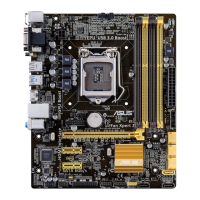
ASUS B85-PRO / B85-PLUS
2-31
PCIEX16_1 Link Speed [Auto]
Allows you to congure the PCIEX16_1 speed.
Conguration options: [Auto] [Gen1] [Gen2] [Gen3]
DMI Link ASPM Control [Auto]
Allows you to enable or disable the control of Active State Power Management on SA
side of the DMI Link. Conguration options: [Auto] [Disabled] [L0s] [L1] [L0sL1]
PEG - ASPM [Disabled]
Allows you to control ASPM support for the PEG Device. The setting takes no effect if
PEG is not the active device at present. Conguration options: [Disabled] [Auto] [ASPM
L0s] [ASPM L1] [ASPM L0sL1]
Memory Conguration
Memory Scrambler [Enabled]
Allows you to enable or disable Memory Scrambler support.
Memory Remap [Enabled]
Allows you to enable or disable remapping the memory above 4GB.
[Enabled] Enables the function.
[Disabled] Disables this function.
2.6.5 AMT Conguration
The items in this menu allow you to change the Intel
®
Active Management Technology (AMT)
feature.
Intel AMT [Enabled]
Allow you to enable or disable the Intel
®
Active Management Technology (AMT) in the BIOS
extension. Conguration options: [Enabled] [Disabled]
• iAMT H/W is always enabled. This option just controls the BIOS extension execution.
If enabled, this requires additional rmware in the SPI device.
• The following two items become congurable only when you set the Intel
®
AMT item to
[Enabled].
BIOS Hotkey Pressed [Disabled]
This item become congurable only when the previous item is set to [Enabled] and allows
you to enable or disable this function. Conguration options: [Enabled] [Disabled]
Un-Congure ME [Disabled]
Sets this item to [Disabled] to uncongure AMT/ME without using a password or set it to
[Enabled] to use a password. Conguration options: [Enabled] [Disabled]
2.6.6 USB Conguration
The items in this menu allow you to change the USB-related features.
The USB Devices item shows the auto-detected values. If no USB device is detected, the
item shows None.


 To Next Page