
 Need help?
Do you have a question about the Asus Trooper B85 and is the answer not in the manual?
Precautions to prevent electrical shock hazards.
Guidelines for safe installation and handling of motherboard components.
Precautions before installing components or changing settings.
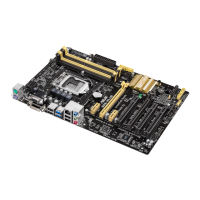
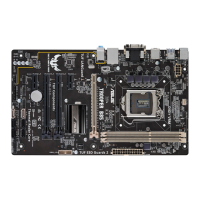
Diagram and identification of motherboard components and connectors.
Details on the LGA1150 socket and supported Intel processors.
Step-by-step guide for installing the CPU into the socket.
Instructions for mounting the CPU heatsink and fan.
Information on installing and configuring RAM modules.
Guidance on installing DIMMs and memory capacity.
Step-by-step instructions for installing a memory module.
Information on installing expansion cards like PCI Express.
Steps for physically installing an expansion card into a slot.
Instructions for clearing CMOS settings using the RTC RAM jumper.
Information about motherboard connectors.
Description and layout of ports on the motherboard's rear panel.
Connecting CPU and chassis fans for cooling.
Connecting the 24-pin and 8-pin ATX power supply plugs.
Steps for saving and restoring BIOS, and using ASUS Update utility.
Utility to manage and update drivers, software, and BIOS.
Utility for updating BIOS without an OS, using USB flash drives.
Auto recovery tool to restore BIOS file if corrupted.
Instructions for entering and navigating the BIOS setup utility.
Methods to access BIOS during the Power-On Self Test (POST).
Basic system information and settings in EZ Mode.
Access to advanced BIOS options for experienced users.
Options for configuring overclocking-related items.
Settings for CPU and other system devices.
Options to change system boot order and settings.
 General
| Socket | LGA 1150 |
|---|---|
| Chipset | Intel B85 |
| Form Factor | ATX |
| Max Memory | 32GB |
| Memory Type | DDR3 |
| PCI Express 3.0 x16 | 1 |
| PCI Express 2.0 x16 | 1 |
| PCI Express 2.0 x1 | 2 |
| SATA 6Gb/s | 4 |
| SATA 3Gb/s | 2 |
| USB 3.0 Ports | 4 |
| Audio | Realtek ALC887 |
| Memory Speed | 1600MHz |
| LAN | Realtek RTL8111G |
| Video Outputs | VGA, DVI-D |
| USB 2.0 Ports | 6 |




 To Next Page
