ASUS TROOPER B85
1-9
1.5.1 Installing an expansion card
To install an expansion card:
1. Beforeinstallingtheexpansioncard,readthedocumentationthatcamewithitand
make the necessary hardware settings for the card.
2. Removethesystemunitcover(ifyourmotherboardisalreadyinstalledinachassis).
3. Removethebracketoppositetheslotthatyouintendtouse.Keepthescrewforlater
use.
4. Alignthecardconnectorwiththeslotandpressrmlyuntilthecardiscompletely
seated on the slot.
5. Securethecardtothechassiswiththescrewyouremovedearlier.
6. Replacethesystemcover.
1.5.2 Conguringanexpansioncard
Afterinstallingtheexpansioncard,congureitbyadjustingthesoftwaresettings.
1. TurnonthesystemandchangethenecessaryBIOSsettings,ifany.SeeChapter2for
informationonBIOSsetup.
2. AssignanIRQtothecard.
3. Installthesoftwaredriversfortheexpansioncard.
WhenusingPCIcardsonsharedslots,ensurethatthedriverssupport“ShareIRQ”orthat
thecardsdonotneedIRQassignments.Otherwise,conictswillarisebetweenthetwoPCI
groups,makingthesystemunstableandthecardinoperable.
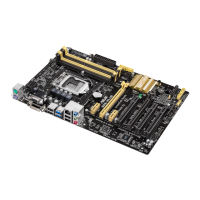
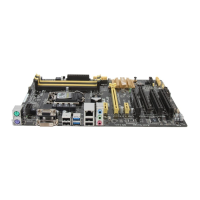
1.5.3 PCI Express x1 slots
ThismotherboardsupportstwoPCIExpressx1networkcards,SCSIcards,andothercards
thatcomplywiththePCIExpressspecications.
1.5.4 PCI Express x16 slot
ThismotherboardsupportsonePCIExpressx16graphicscardthatcomplieswiththePCI
Expressspecications.
IRQ assignments for this motherboard
A B C D E F G H
LAN - - shared - - - - -
PCIEx16_1
shared - - - - - -
PCIEx16_2 - shared - - - - - -
PCIEx16_3 shared - - - - - - -
PCIEx1_1 shared - - - - - - -
PCIEx1_2 - - - shared - - - -
IntelPCHSATAController - - - shared - - - -
HDAudio - - - - - - shared
USB2.0_1 - - - - - - - shared
USB2.0_2 - - - - shared - - -
USB3.0 - - - - - shared -





 To Next Page