ASUS Desktop PC 65
ENGLISH
ENGLISH
2. Select the display mode from the Multiple displays: drop-down list.
• Duplicate these displays: Select this option to use the additional monitor as a duplicate of
your main display.
• Extend these displays: Select this option to use the additional monitor as an extension
display. This increases your desktop space.
• Show desktop only on 1 / 2: Select this option to show desktop only on monitor 1 or
monitor 2.
3. Click Apply or OK. Click Keep Changes on the confirmation message.
Configuring the Internet connection settings
Wired connection
Windows
®
7
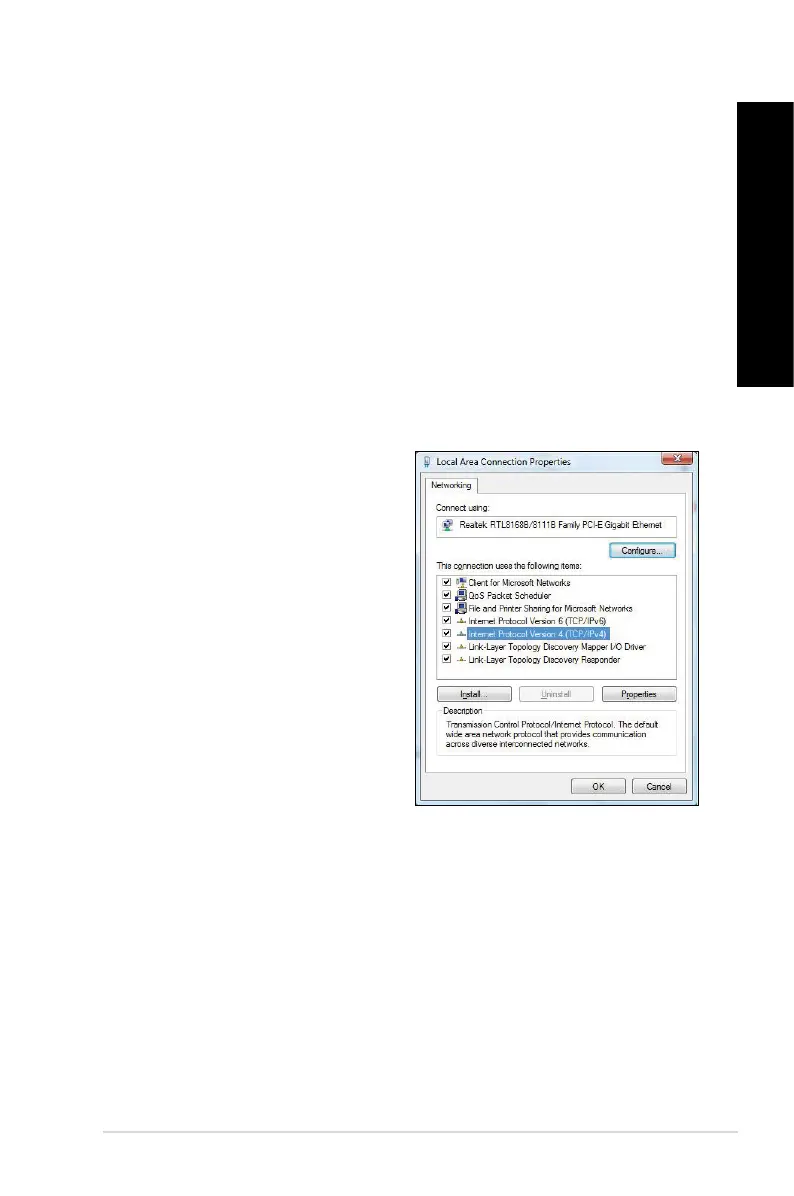
Configuring a dynamic IP/PPPoE
network connection
To configure a dynamic IP/PPPoE network
connection:
1. Go to Start > Control Panel > Network
and Sharing Center.
2. FromtheNetworkandSharingCenter
screen, click Change Adapter settings.
3. Right-clickonyourLANandselect
Properties.



 To Next Page