ASUS Desktop PC 69
ENGLISH
ENGLISH
2. From the Windows
®
taskbar, right-click the network icon and click Open Network and
Sharing Center.
3. FromtheOpenNetworkandSharingCenterscreen,clickChange Adapter settings.
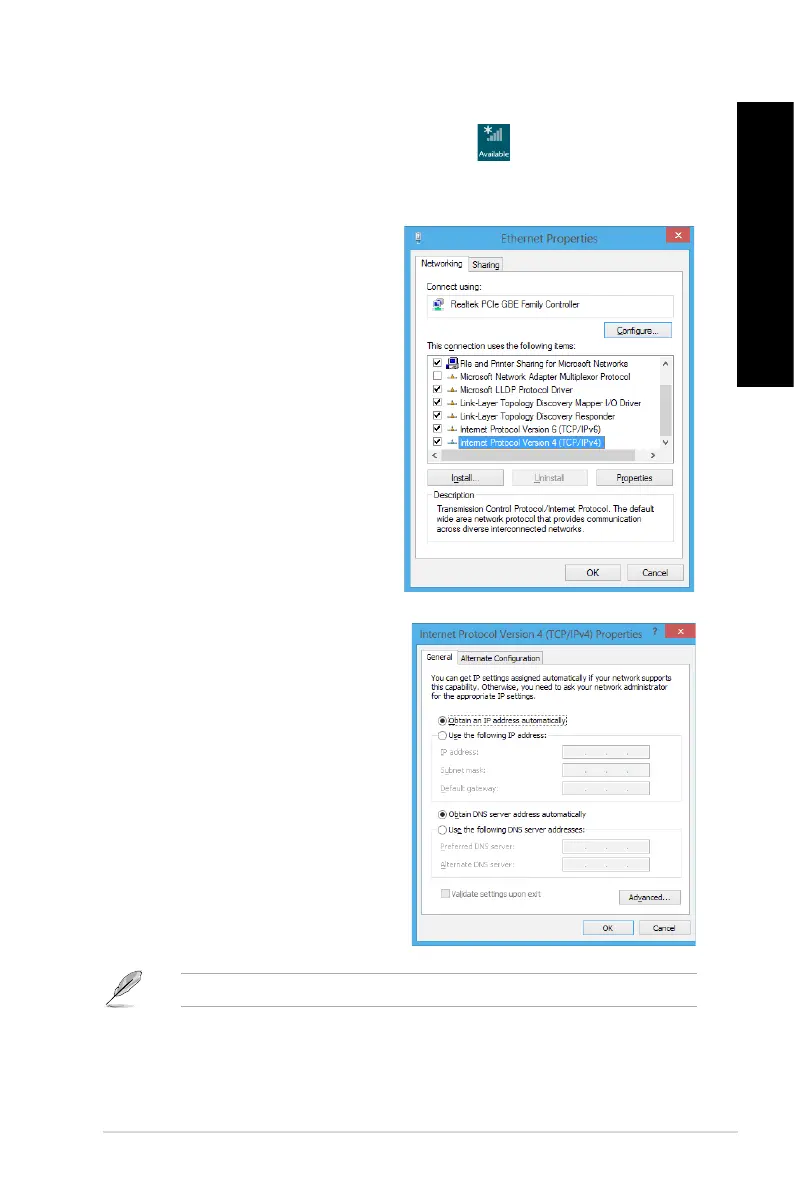
4. Right-clickonyourLANandselectProperties.
5. Click Internet Protocol Version 4(TCP/
IPv4) and click Properties.
6. Click Obtain an IP address automatically
and click OK.
Continue to the next steps if you are using PPPoE connection.



 To Next Page