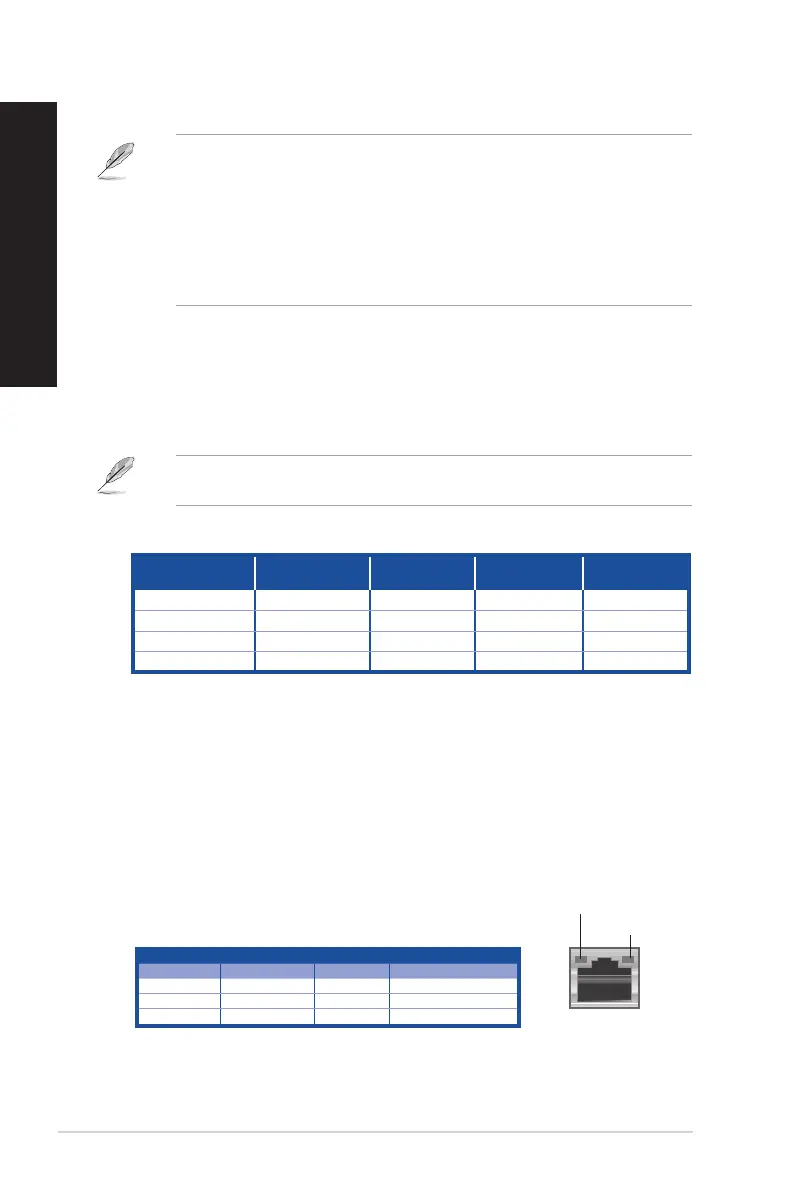
Activity/Link LED Speed LED
Status Description Status Description
OFF No link OFF 10Mbps connection
ORANGE Linked ORANGE 100Mbps connection
BLINKING Data activity GREEN 1Gbps connection
LAN port
SPEED LED
ACT/LINK LED
LAN port LED indications
Audio 2.1, 4.1, 5.1, or 7.1-channel configuration
Port
Headset
2.1-channel
4.1-channel 5.1-channel 7.1-channel
Light Blue (Rear panel) Line In Rear Speaker Out Rear Speaker Out Rear Speaker Out
Lime (Rear panel) Line Out Front Speaker Out Front Speaker Out Front Speaker Out
Pink (Rear panel) Mic In Mic In Bass/Center Bass/Center
Lime (Front panel) - - - Side Speaker Out
11. Expansion slot brackets. Remove the expansion slot bracket when installing an
expansion card.
12. ASUS Graphics Card (on selected models only). The display output ports on this
optional ASUS Graphics Card may vary with different models.
13. Kensington
®
lock slot. The Kensington
®
lock slot allows the PC to be secured using
Kensington
®
compatible PC security cables.
14. LAN (RJ-45) port. This port allows Gigabit connection to a Local Area Network (LAN)
through a network hub.
7. USB 3.0 ports. These 9-pin Universal Serial Bus (USB) ports are for USB 3.0 devices.
• DO NOT connect a keyboard / mouse to any USB 3.0 port when installing Windows
®
operating system.
• Due to USB 3.0 controller limitation, USB 3.0 devices can only be used under Windows
®
OS environment and after the USB 3.0 driver installation.
• USB 3.0 devices can only be used as data storage only.
• We strongly recommend that you connect USB 3.0 devices to USB 3.0 ports for faster
and better performance for your USB 3.0 devices.
8. Microphone port (pink). This port connects to a microphone.
9. Line Out port (lime). This port connects to a headphone or speaker. In a 4.1, 5.1, or
7.1-channel conguration, the function of this port becomes Front Speaker Out.
10. Line In port (light blue). This port connects to a tape, CD, DVD player, or other audio
sources.
Refer to the audio conguration table below for the function of the audio ports in the 2.1,
4.1, 5.1, or 7.1-channel conguration.
14 Chapter 1: Getting started
ENGLISH
ENGLISH



 To Next Page