ASUS Desktop PC
37
ENGLISH
ENGLISH
Changing to the external audio output
When you connect an external audio device to your Desktop PC, enable the audio device
output to ensure a clear audio quality.
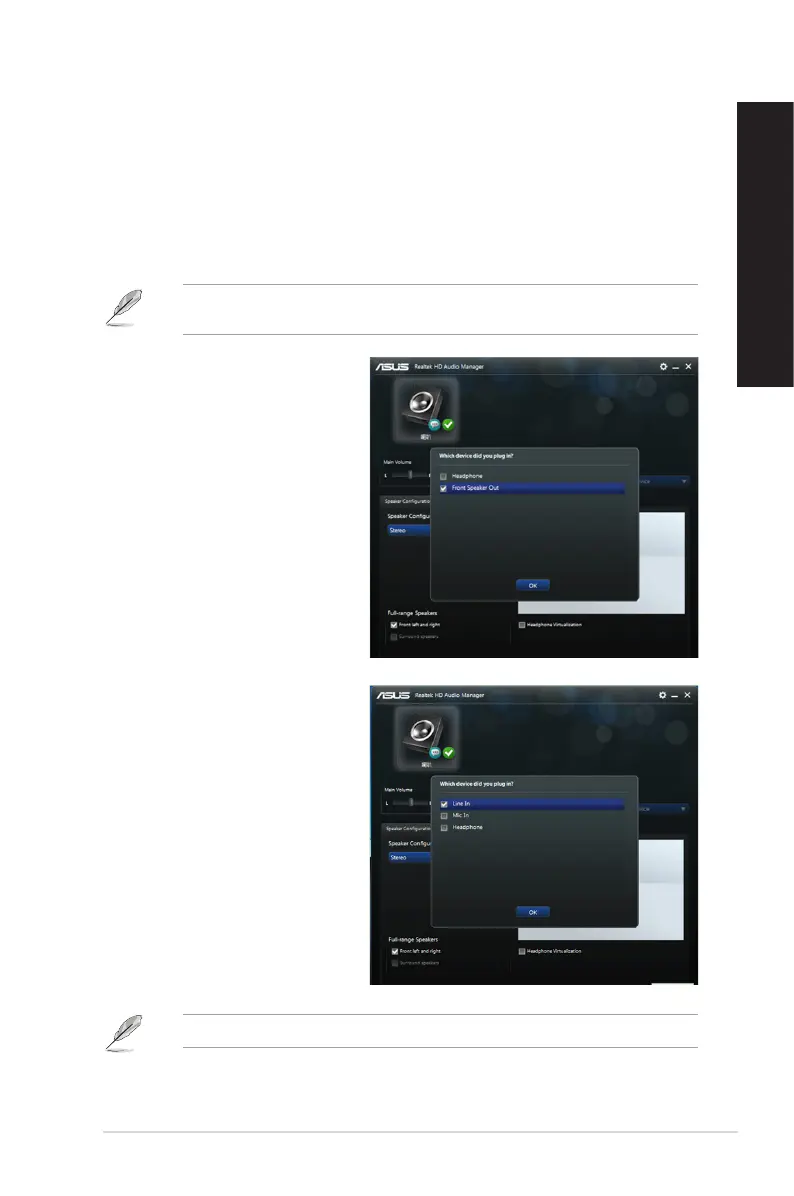
To change to the external audio output:
1. Connect an external audio device such as earphone or speaker to the rear Line Out
port. The Audio Manager screen automatically pops up.
For the location of the rear Line Out port, refer to the section Getting to know your
computer.
2. Tick Front Speaker Out, then
click OK.
3. Tick Line In, then click OK. The
audio output will now be from the
external audio device.
The Audio Manager screenshots above are for reference only.



 To Next Page