5-2 Chapter 5: Software support
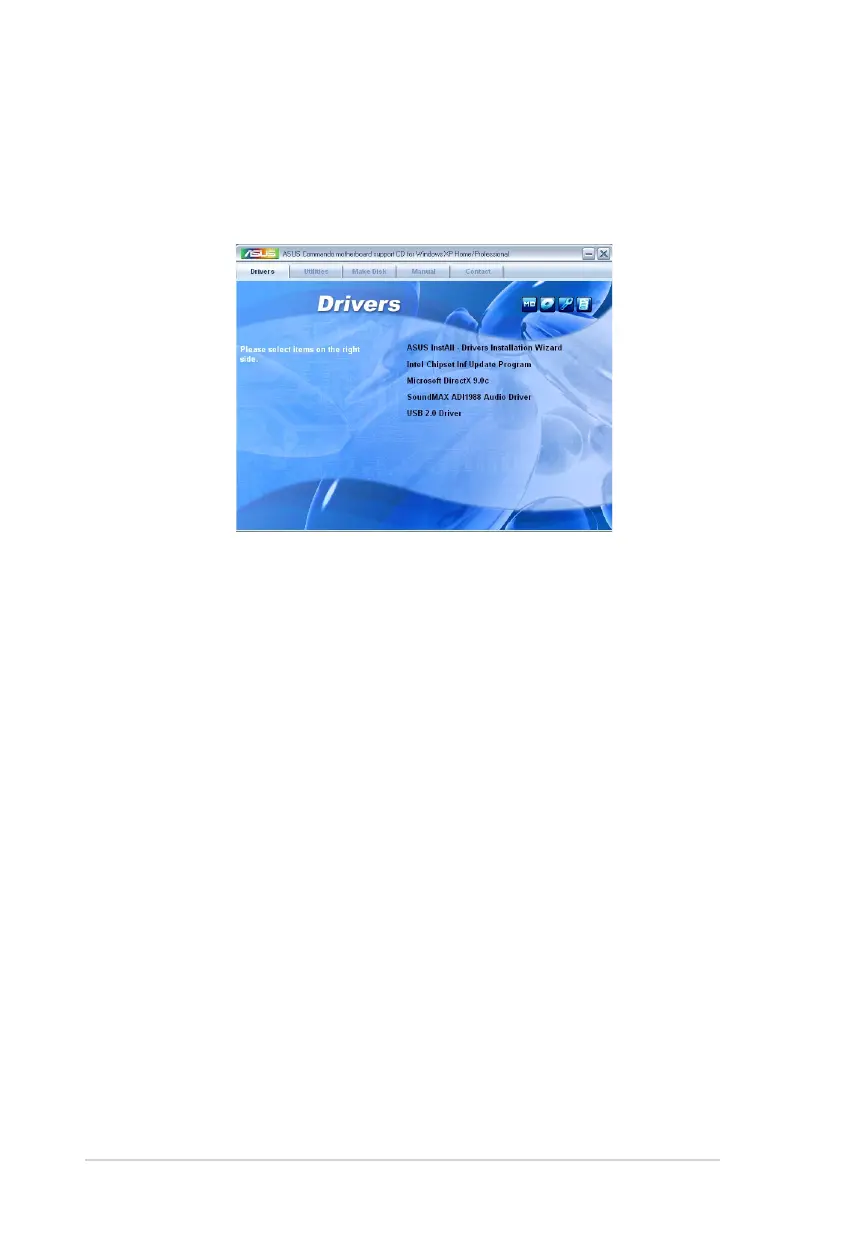
5.2.2 Drivers menu
The drivers menu shows the available device drivers if the system detects installed
devices. Install the necessary drivers to activate the devices.
ASUS InstAll - Drivers Installation WizardDrivers Installation WizardInstallation Wizard
Launches the ASUS InstAll driver installation wizard.
Intel Chipset Inf Update Program
Installs the Intel
®
chipset inf update program.
Microsoft DirectX 9.0c
Installs the Microsoft DirectX
®
9.0c driver. The Microsoft DirectX
®
9.0c is a
multimedia technology that enhances computer graphics and sounds. DirectX
®
improves the multimedia features of your computer so you can enjoy watching TV
and movies, capturing videos, or playing games in your computer.
SoundMAX ADI1988 Audio Driver
Installs the SoundMAX
®
ADI1988 audio driver and application.
USB 2.0 Driver
Installs the Universal Serial Bus 2.0 (USB 2.0) driver.



 To Next Page