5-24 Chapter 5: Software support
5.3.6 ASUS AI Gear
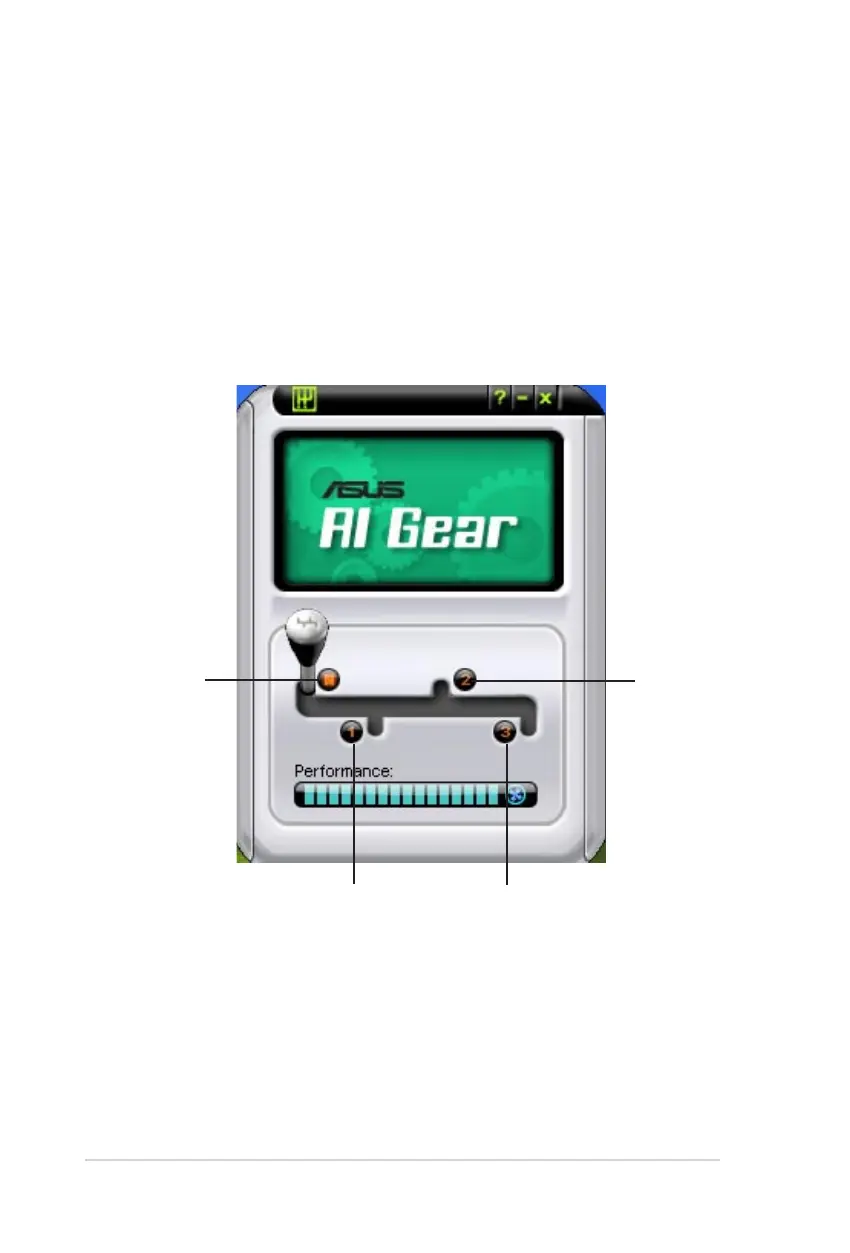
ASUS AI Gear provides four system performance options that allows you to select
the best performance setting for your computing needs. This easy-to-use utility
adjusts the processor frequency and vCore voltage to minimize system noise and
power consumption.
After installing AI Suite from the bundled support DVD, you can launch AI Gear by
double-clicking the AI Suite icon on your Windows OS taskbar and then click the AI
Gear button on the AI Suite main window.
Shift the gear to the performance setting that you like.
Maximum
Performance
Medium
Performance
High
Performance
Maximum
Power Saving



 To Next Page