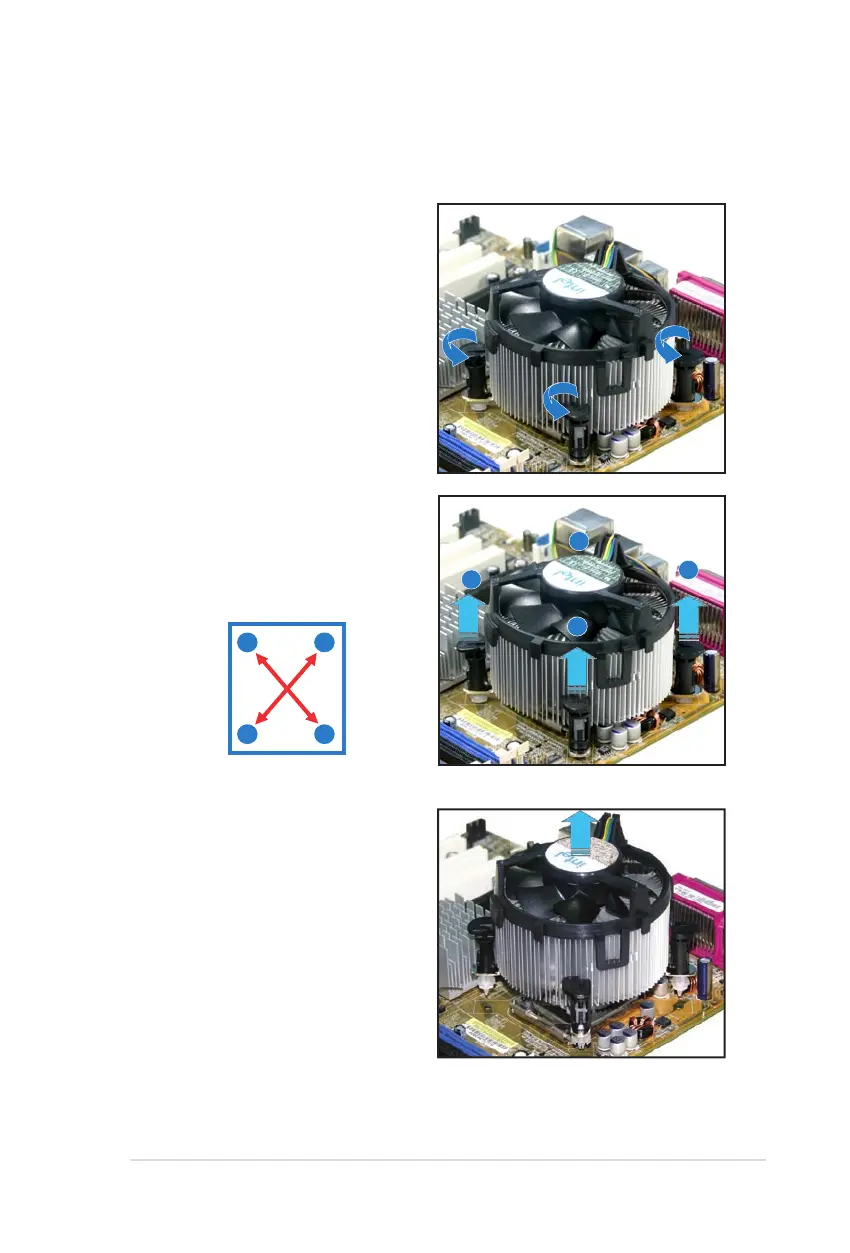
To uninstall the CPU heatsink and fan:
1. Disconnect the CPU fan cable from
the connector on the motherboard.
2. Rotate each fastener
counterclockwise.
3. Pull up two fasteners at a time in
a diagonal sequence to disengage
the heatsink and fan assembly
from the motherboard.
B
B
A
A
A
A
B
B
4. Carefully remove the heatsink
and fan assembly from the
motherboard.
2.3.3 Uninstalling the CPU heatsink and fan



 To Next Page