4-2 Chapter 4: BIOS setup
Quit all Windows
®
applications before you update the BIOS using this utility.
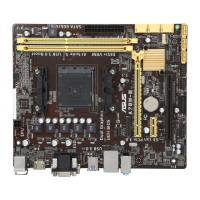
3. Select the ASUS FTP site nearest
you to avoid network trafc, or
click Auto Select. Click Next.
Updating the BIOS through the Internet
To update the BIOS through the Internet:
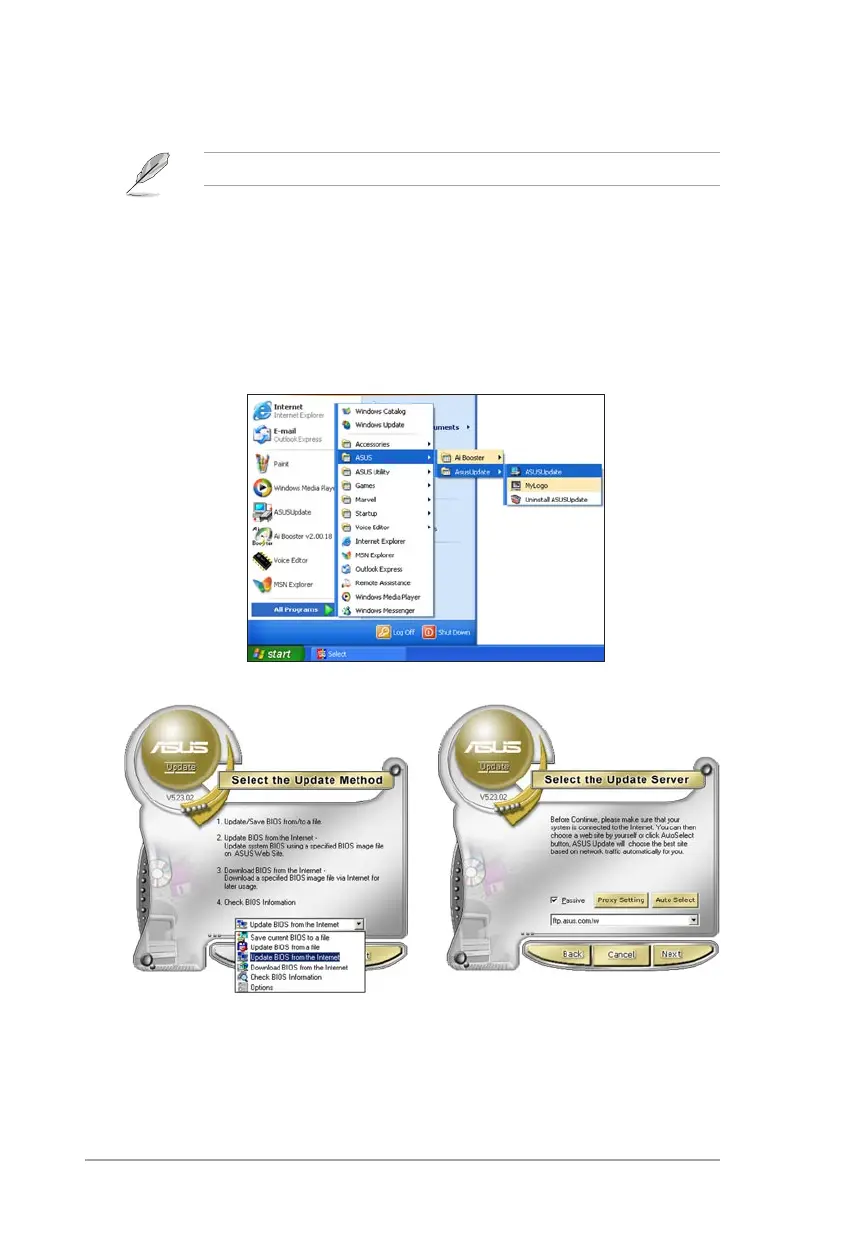
1. Launch the ASUS Update utility from the Windows
®
desktop by clicking Start
> Programs > ASUS > ASUSUpdate > ASUSUpdate. The ASUS Update
main window appears.
2. Select Update BIOS from the
Internet option from the drop-down
menu, then click Next.



 To Next Page