English
19All-in-one PC ET2012 Series
Rear view
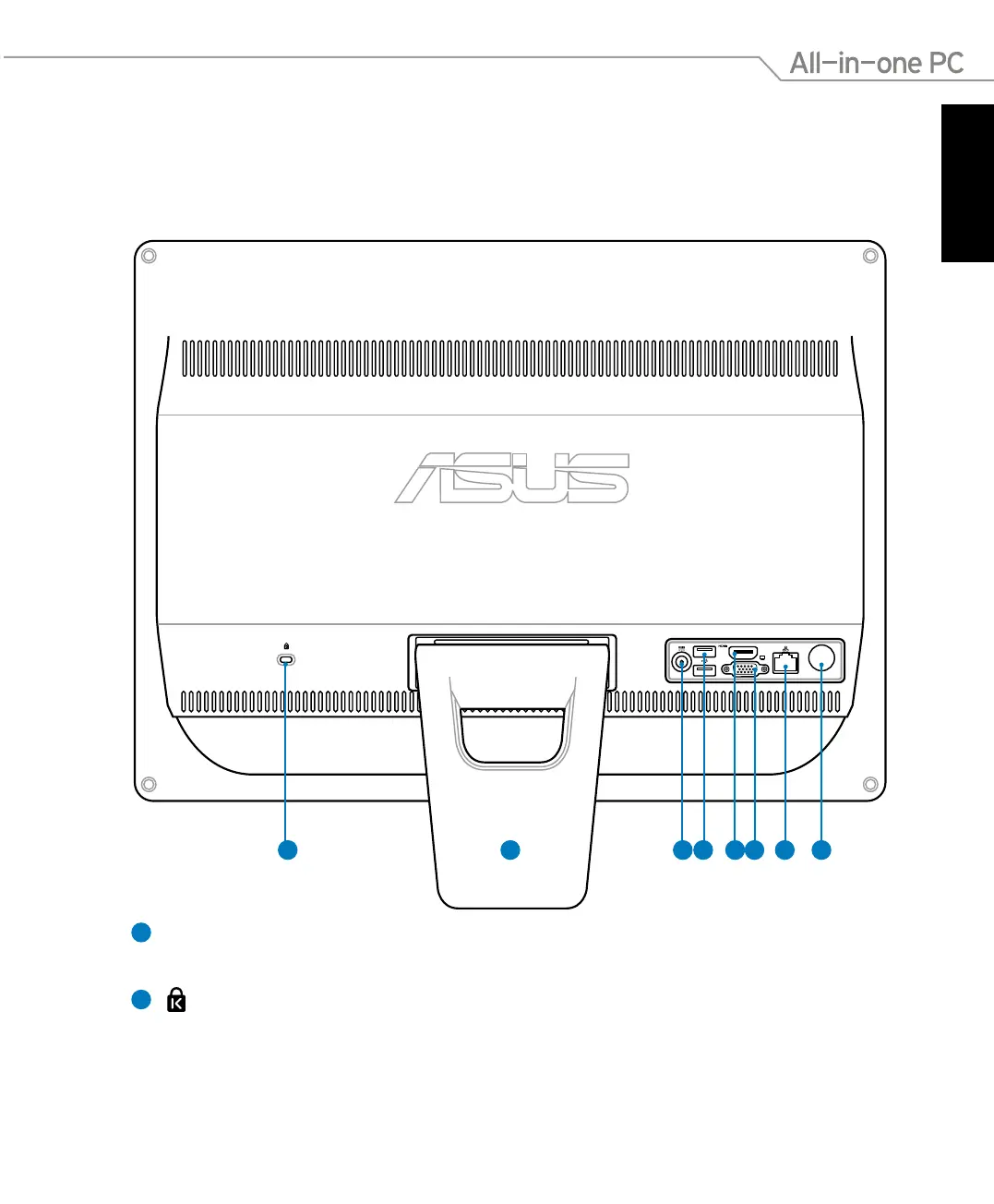
Refer to the following diagram to identify the components on this side of the system.
1
Stand
Allows you to position the system upright.
2
Kensington® Lock port
The Kensington® lock port allows the computer to be secured using Kensington®
compatible security products. These security products usually include a metal cable
and lock that prevent the computer to be removed from a fixed object.
12 3 4 5 6 7 8
ET2012EG/ ET2012IG Series



 To Next Page