English
38 All-in-one PC ET2012 Series
Using a dynamic IP (PPPoE)
1. Repeat steps 1–4 in the previous section.
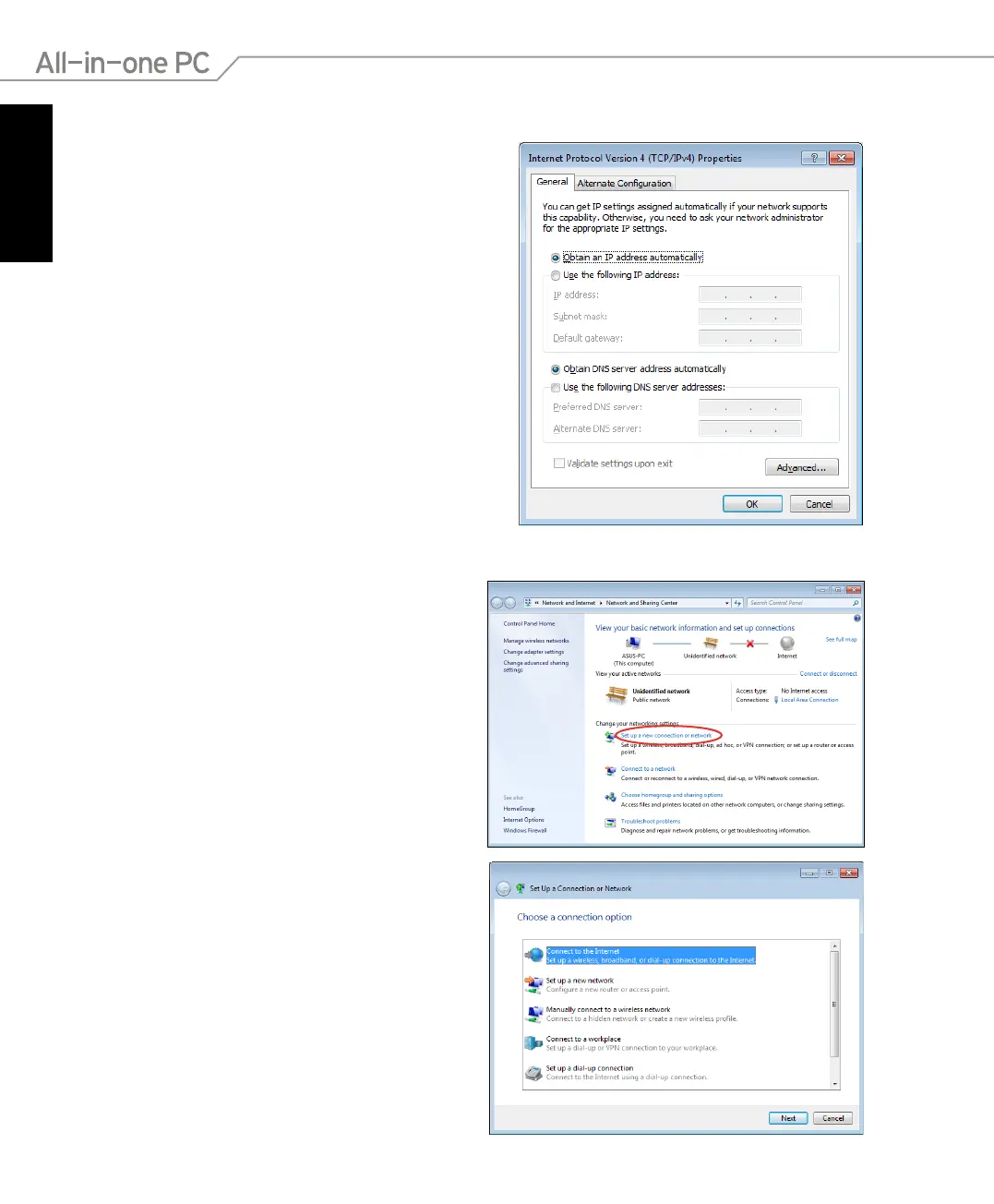
2 Select Obtain an IP address
automatically and click OK.
(Continue the following steps if using PPPoE)
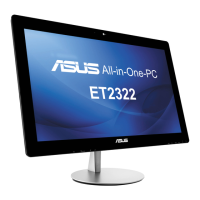
3. Return to the Network and Sharing
Center and then click Set up a new
connection or network.
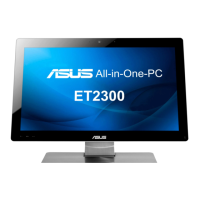
4. Select Connect to the Internet and click
Next.



 To Next Page