English
37All-in-one PC ET2012 Series
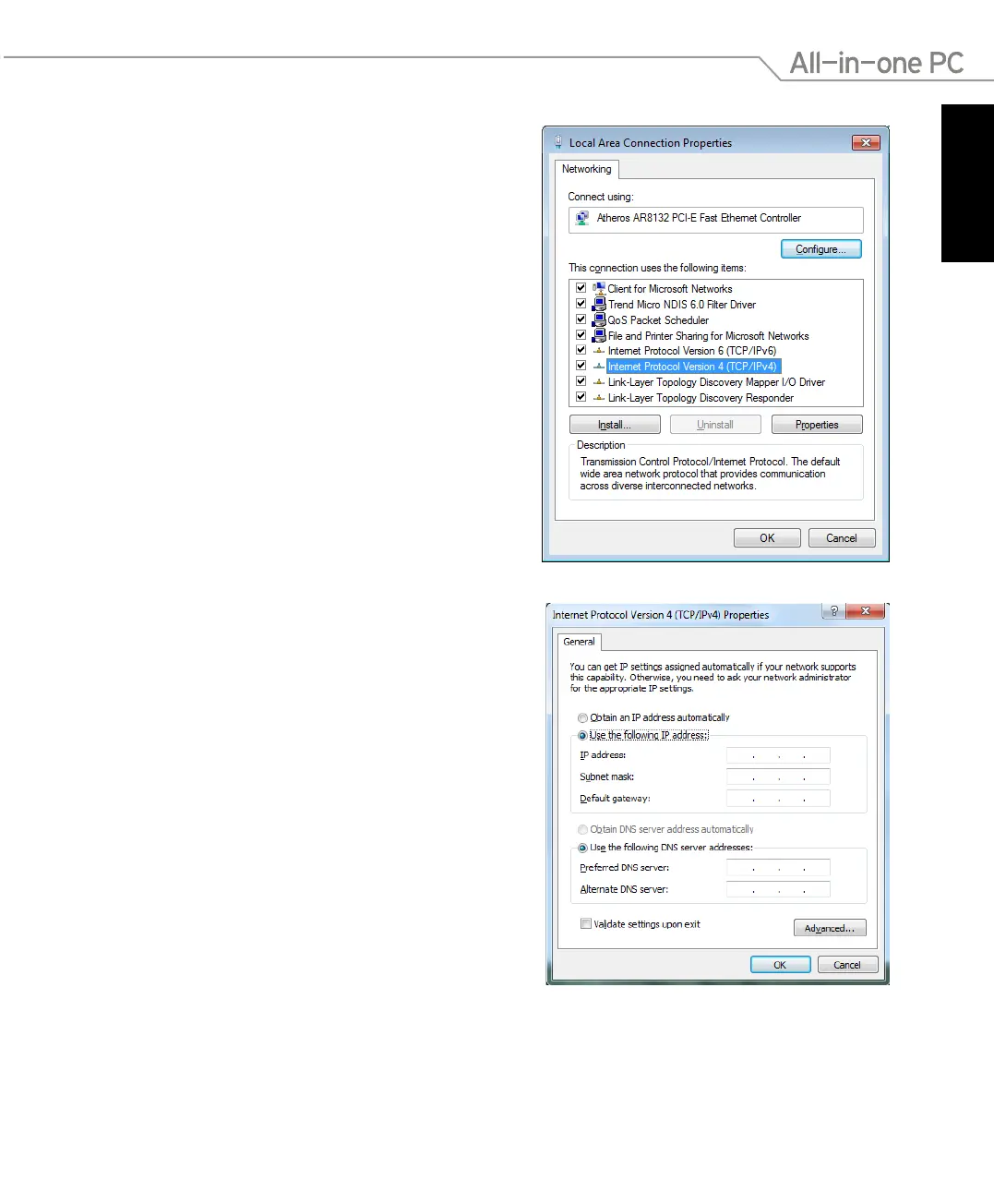
5. Select Use the following IP address.
6. Enter your IP address, Subnet mask, and
Default gateway.
7. If needed, enter the Preferred DNS
server address.
8. After entering all the related values, click
OK to finish the configuration.
4. Click Internet Protocol Version 4(TCP/
IPv4) and click Properties.



 To Next Page