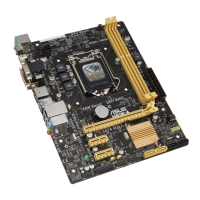
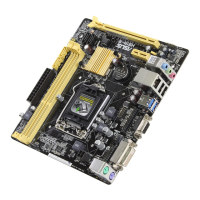
ASUS H87I-PLUS
2-21
2.5.16 CPU Cache Voltage [Auto]
Allows you to congure the amount of voltage fed to the uncore of the processor including its
cache. Increase the voltage when increasing Ring frequency. Conguration options: [Auto]
[Manual Mode] [Offset Mode] [Adaptive Mode]
[Adaptive Mode] is available for some specic CPU types.
CPU Cache Voltage Override [Auto]
This item appears only when you set the CPU Cache Voltage to [Manual Mode] and allows
you to set the CPU Cache Voltage override. Use the <+> or <-> keys to adjust the value, The
values range from 0.001V to 1.920V with a 0.001V interval.
The following items appear only when you set the CPU Cache Voltage to [Offset Mode] or
[Adaptive Mode].
Offset Mode Sign [+]
[+] To offset the voltage by a positive value.
[–] To offset the voltage by a negative value.
CPU Cache Voltage Offset
Allows you to set the CPU cache voltage offset. Use the <+> or <-> keys to adjust the
value. The values range from 0.001V to 0.999V with a 0.001V interval.
Additional Turbo Mode CPU Cache Voltage [Auto]
This item appears only when you set the CPU Cache Voltage to [Adaptive Mode] and allows
you to set the additional turbo mode CPU cache voltage. The values range from 0.001V to
1.920V with a 0.001V interval.
Total Adaptive Mode CPU Cache Voltage [Auto]
This item appears only when you set the CPU Cache Voltage to [Adaptive Mode] and allows
you to set the total adaptive mode CPU cache voltage. The values range from 0.001V to
1.920V with a 0.001V interval.
2.5.17 CPU Graphics Voltage [Auto]
Allows you to congure the amount of voltage fed to the onboard graphics unit on the
processor. Increase the amount of voltage when increasing iGPU frequency. Conguration
options: [Auto] [Manual Mode] [Offset Mode] [Adaptive Mode]
[Adaptive Mode] is available for some specic CPU types.
CPU Graphics Voltage Override [Auto]
This item appears only when you set the CPU Graphics Voltage to [Manual Mode] and
allows you to set the CPU Graphics Voltage override. Use the <+> or <-> keys to adjust the
value, The values range from 0.001V to 1.920V with a 0.001V interval.


 To Next Page