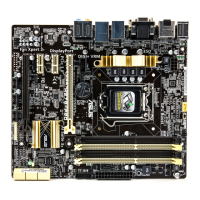
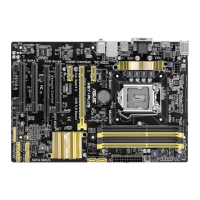
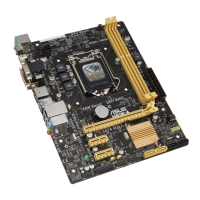
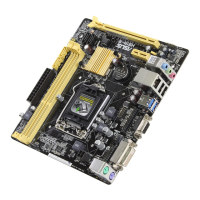
ASUS H87I-PLUS
2-37
2.8.1 Boot Conguration
Fast Boot [Enabled]
[Disabled] Allows your system to go back to its normal boot speed.
[Enabled] Allows your system to accelerate the boot speed.
The following four items appear only when you set Fast Boot to [Enabled].
USB Support [Partial In...]
[Disabled] All USB devices will not be available until OS boot up for a fastest
POST time.
[Full Initialization] All USB devices will be available during POST. This process will
extend the POST time.
[Partial Initialization] For a faster POST time, only USB ports with keyboard and mouse
connections will be detected.
PS/2 Keyboard and Mouse Support [Auto]
Select any of these settings when PS/2 keyboard and mouse are installed. These
settings only apply when Fast Boot is enabled.
[Auto] For a faster POST time, PS/2 devices will only be available when
the system boots up or rebooted when the PS/2 devices have not
been reconnected or changed. If you disconnect or change PS/2
devices before restarting the system, PS/2 devices will not be
available and BIOS setup program will not be accessible via PS/2
devices.
[Full Initialization] For full system control, PS/2 devices will be available during
POST at any circumstances. This process will extend POST time.
[Disabled] For the fastest POST time, all PS/2 devices will not be available
until your computer enters the operating system.
Network Stack Driver Support [Disabled]
[Disabled] Select to skip the network stack driver from loading during POST.
[Enabled] Select to load the network stack driver during POST.
Next Boot after AC Power Loss [Normal Boot]
[Normal Boot] Returns to normal boot on the next boot after an AC power loss.
[Fast Boot] Accelerates the boot speed on the next boot after an AC power loss.
2.8.2 Boot Logo Display [Enabled]
[Enabled] Display the boot logo during POST.
[Disabled] Hide the logo during POST.
Boot Logo Size Control [Auto]
This item appears only when you set the Boot Logo Display item to [Enabled].
[Auto] Automatically adjust the boot logo size according to Windows
®
requirements.
[Full Screen] Display the boot logo in full screen.


 To Next Page