1-2
Chapter 1: Product introduction
1.2 Motherboard overview
Beforeyouinstallthemotherboard,studythecongurationofyourchassistoensurethatthe
motherboardts.
Unplugthepowercordbeforeinstallingorremovingthemotherboard.Failuretodosocan
cause you physical injury and damage to motherboard components.
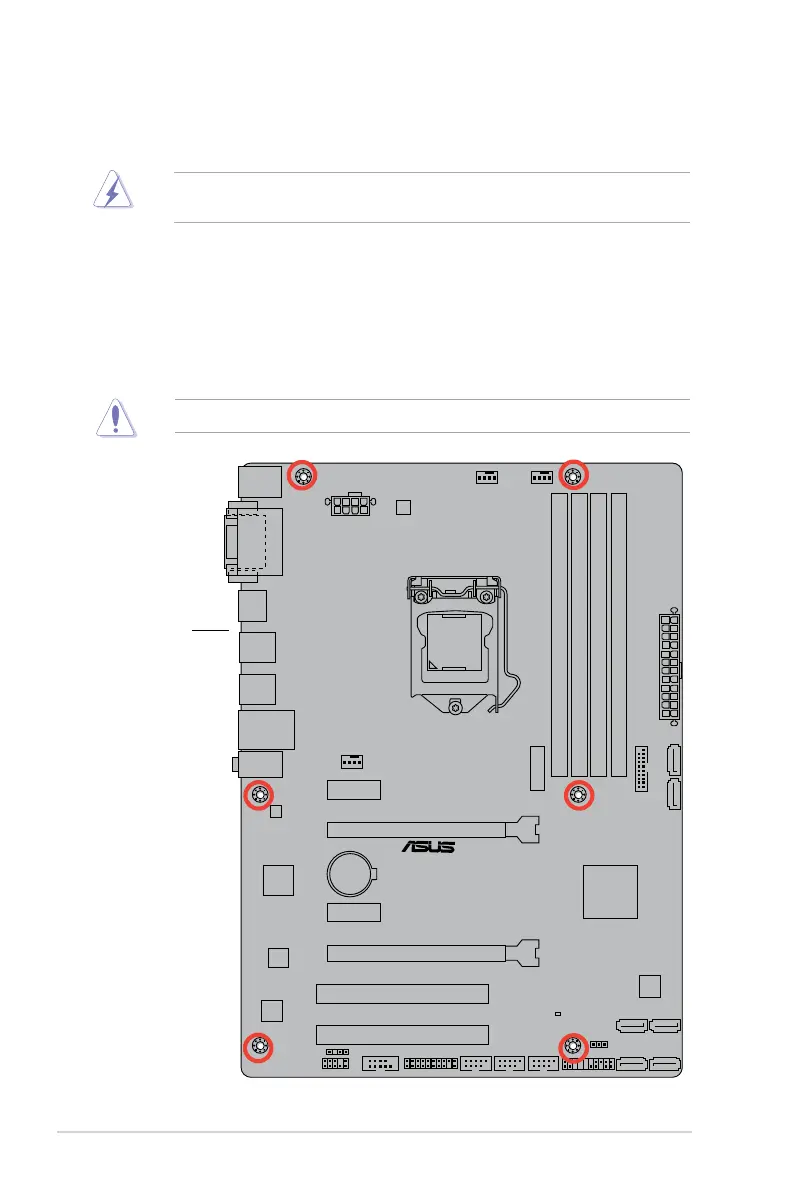
1.2.1 Placement direction
Wheninstallingthemotherboard,placeitintothechassisinthecorrectorientation.Theedge
with external ports goes to the rear part of the chassis as indicated in the image.
H97-PLUS
1.2.2 Screw holes
Place six screws into the holes indicated by circles to secure the motherboard to the chassis.
Donotovertightenthescrews!Doingsocandamagethemotherboard.
Place this side
towards the rear
of the chassis



 To Next Page