ASUS H97-PLUS
1-21
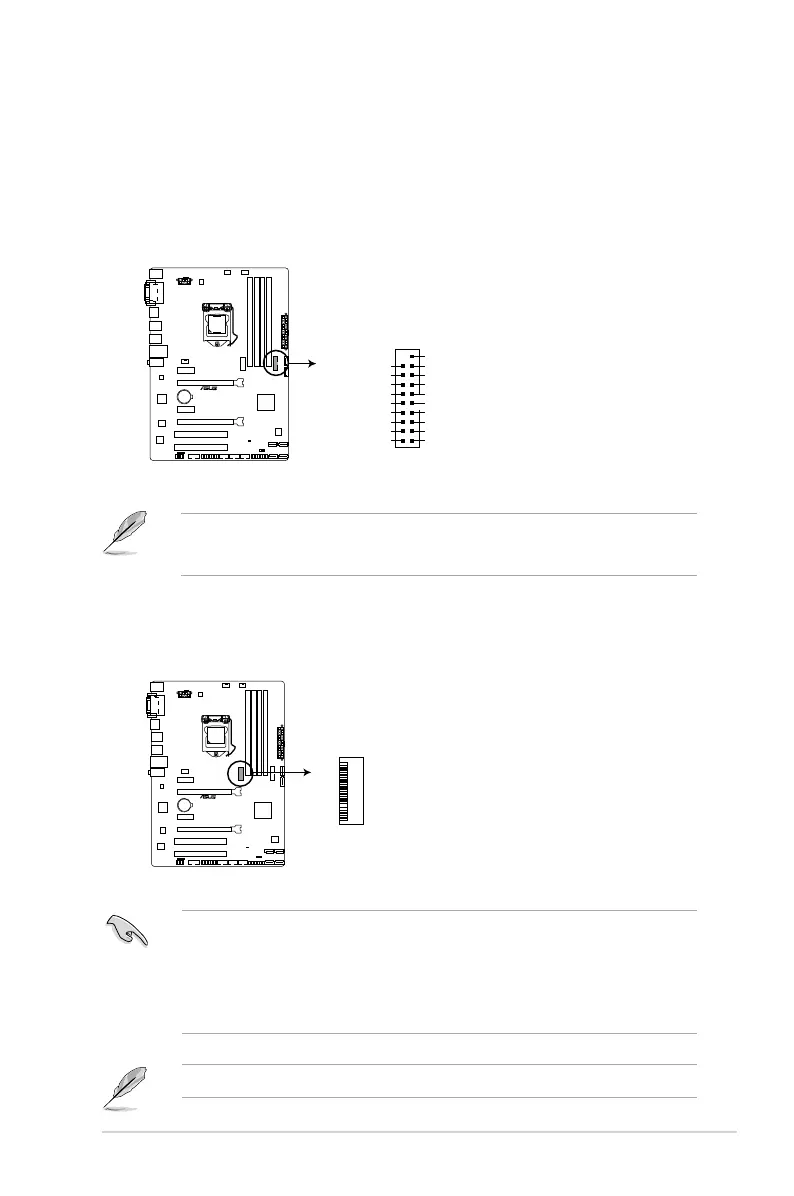
10. USB 3.0 connector (20-1 pin USB3_12)
ThisconnectorallowsyoutoconnectaUSB3.0moduleforadditionalUSB3.0front
orrearpanelports.WithaninstalledUSB3.0module,youcanenjoyallthebenets
ofUSB3.0includingfasterdatatransferspeedsupto5Gbps,fasterchargingtimefor
USB-chargeabledevices,optimizedpowerefciency,andbackwardcompatibilitywith
USB2.0.
• TheUSB3.0moduleispurchasedseparately.
• YoucanconnecttheASUSfrontpanelUSB3.0brackettothisconnector.
H97-PLUS
H97-PLUS USB3.0 Front panel connector
USB3_12
USB3+5V
IntA_P1_SSRX-
IntA_P1_SSRX+
GND
IntA_P1_SSTX-
IntA_P1_SSTX+
GND
IntA_P1_D-
IntA_P1_D+
GND
PIN 1
USB3+5V
IntA_P2_SSRX-
IntA_P2_SSRX+
GND
IntA_P2_SSTX-
IntA_P2_SSTX+
GND
IntA_P2_D-
IntA_P2_D+
11. M.2 Socket 3
ThissocketallowsyoutoinstallanM.2(NGFF)SSDmodule.
H97-PLUS
H97-PLUS M.2 socket
M.2 (SOCKET3)
• ThissocketsupportsMKeyandtype2260/2280storagedevices.
• TheM.2Socket3sharesbandwidthwithSATA6G_5andSATA6G_6ports.Referto
section 2.6.3 PCH Storage Configuration of this user guide for more details.
• WhenusingIntel
®
DesktopResponsivenesstechnologieswithPCIeM.2device,
ensuretosetuptheWindows
®
UEFIoperatingsystemunderRAIDmode.
TheM.2(NGFF)SSDmoduleispurchasedseparately.



 To Next Page