40 ASUS K7M-RM User’s Manual
3. HARDWARE SETUP
Connectors
3. H/W SETUP
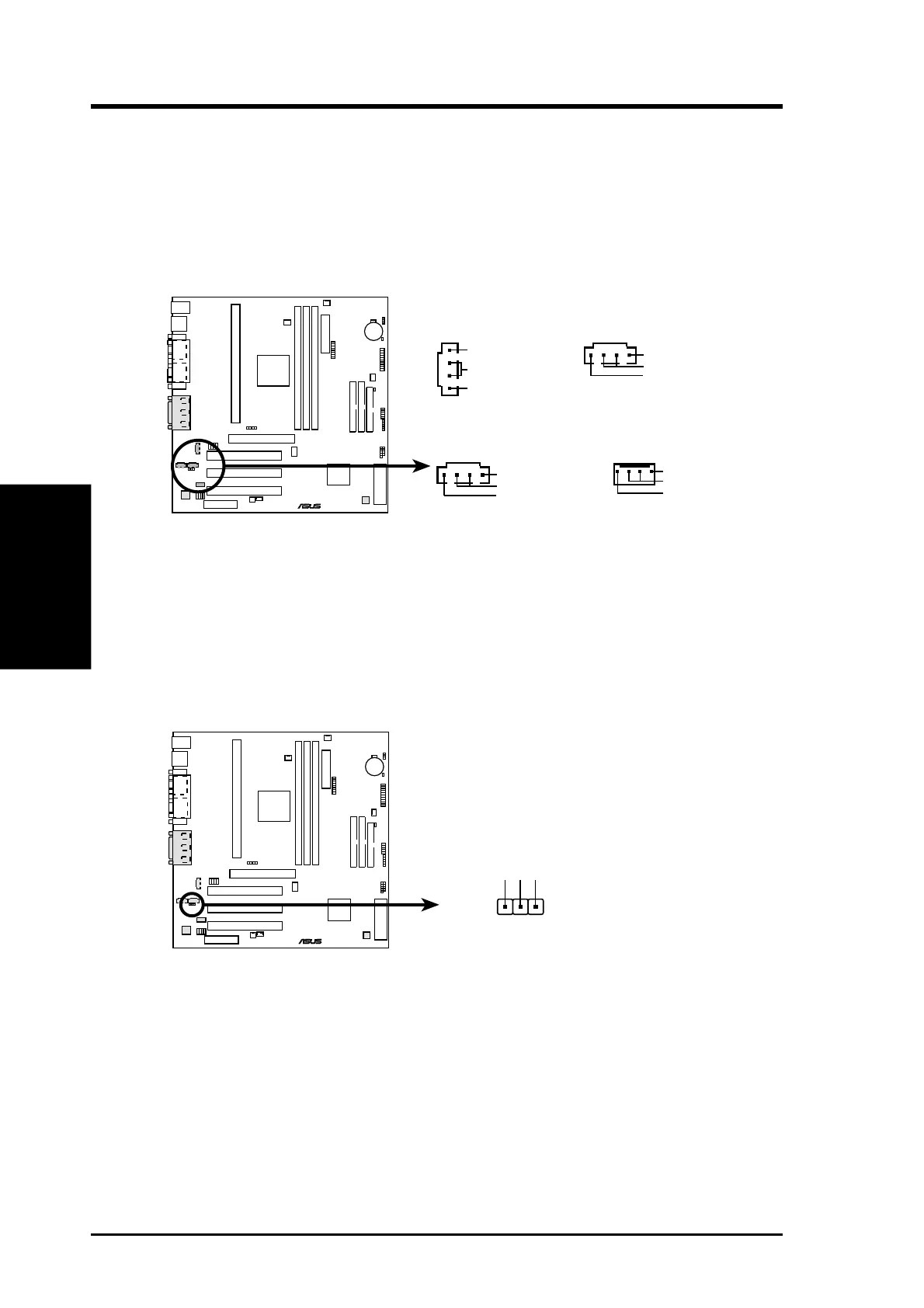
14) Internal Audio Connectors (4-pin CD, AUX, VIDEO, MODEM)
These connectors allow you to receive stereo audio input from such sound sources
as a CD-ROM, TV tuner, or MPEG card. The MODEM connector allows the
onboard audio to interface with a voice modem card with a similar connector. It
also allows the sharing of mono_in (such as a phone) and mono_out (such as a
speaker) between the onboard audio and a voice modem card.
AUX (White)
Right Audio Channel
Left Audio Channel
Ground
0 10 10 1
K7M-RM
®
K7M-RM Internal Audio Connectors
MODEM
Modem-Out
(from Modem)
Ground
(to Modem)
Modem-In
CD (Black)
Right Audio Channel
Left Audio Channel
Ground
VIDEO (Green)
Right Audio Channel
Left Audio Channel
Ground
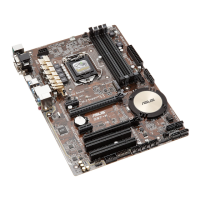
15) Headphone True-Level Line Out Header (3 pin HPHONE) (optional)
This connector allows you to connect a chassis mounted headphone to the
motherboard instead of having to attach an external headphone onto the ATX
connectors.
0 10 10 1
K7M-RM
®
K7M-RM True-Level Line Out Header
1
HPHONE
HP OUT LT
GND
HP OUT RT



 To Next Page