56 ASUS K7M-RM User’s Manual
4. BIOS SETUP
4. BIOS SETUP
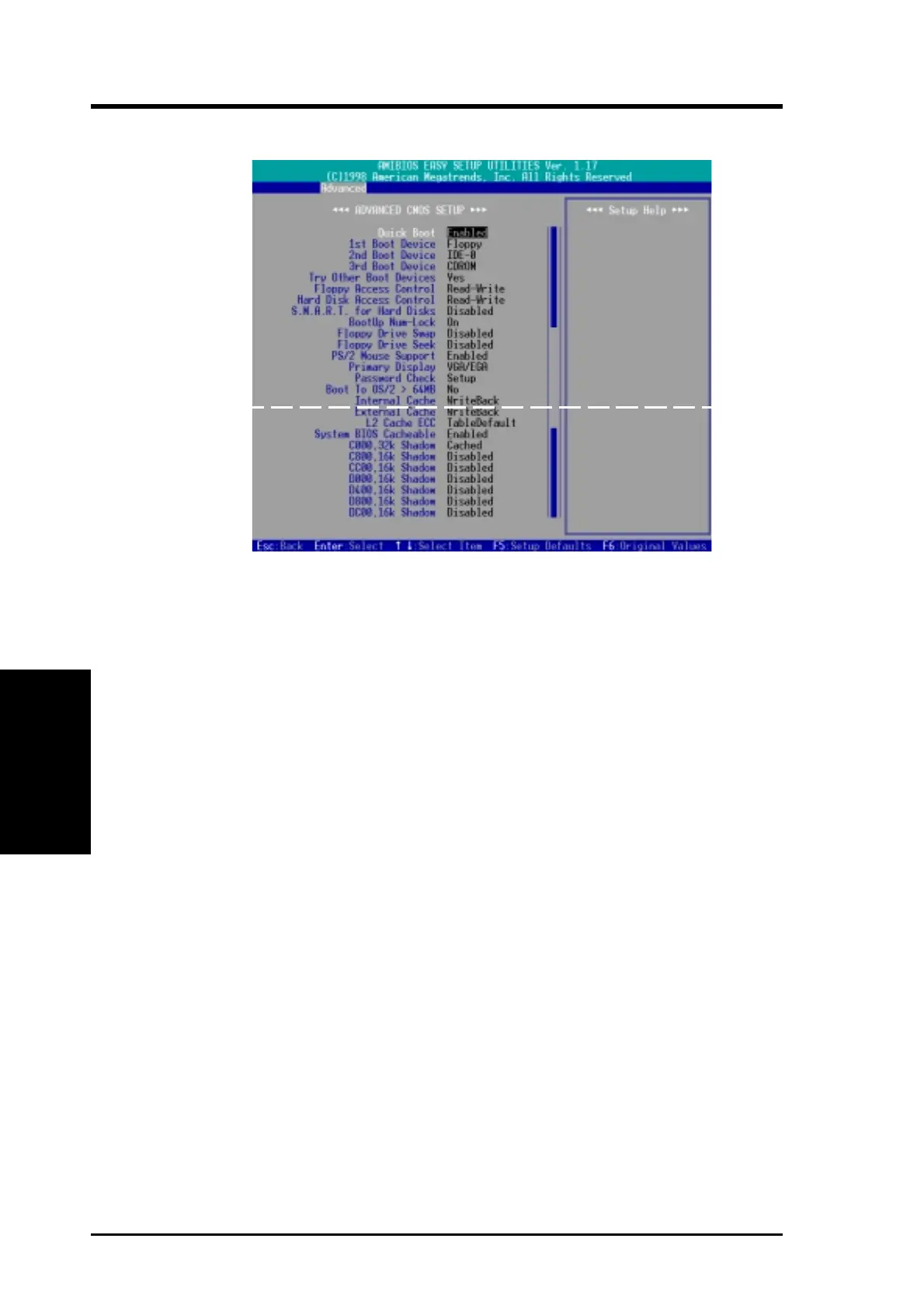
Advanced CMOS
4.4.1 Advanced CMOS Setup
Quick Boot [Disabled]
Set this feature to [Enabled] if you want to speed up the bootup by skipping some
POST (power-on self test) routines such as memory checking.
1st Boot Device [Floppy] / 2nd Boot Device [IDE-0] / 3rd Boot Device
[CDROM]
These fields determine where the system looks first for an operating system on sys-
tem power up. Available options: [Disabled] [IDE-0] [IDE-1] [IDE-2] [IDE-3]
[Floppy] [ZIP A:/LS120] [ATAPI ZIP C:] [CDROM] [SCSI] [NETWORK]
Try Other Boot Devices [Yes]
Selecting [Yes] allows the system to seek other boot devices when those selected in
the previous 3 fields fail to boot.
Floppy / Hard Disk Access Control [Read-Write]
When set to [Read-Only], these fields protect files from being copied to the disk
drives by allowing reads from the disk drive but not writes. The Setup default [Read-
Write] allows both reads and writes. Available options: [Read-Write] [Read-Only]
S.M.A.R.T. for Hard Disks [Disabled]
This field enables or disables S.M.A.R.T. (Self-Monitoring Analysis and Reporting
Technology) support for S.M.A.R.T.-capable hard disk drives. This technology re-
quires an application that can display S.M.A.R.T. warning messages.
Boot Up NumLock [On]
This field enables users to activate the Number Lock function upon system boot.
(Scroll down to see more items as shown.)



 To Next Page