64 ASUS K7M-RM User’s Manual
4. BIOS SETUP
4. BIOS SETUP
PCI/PnP
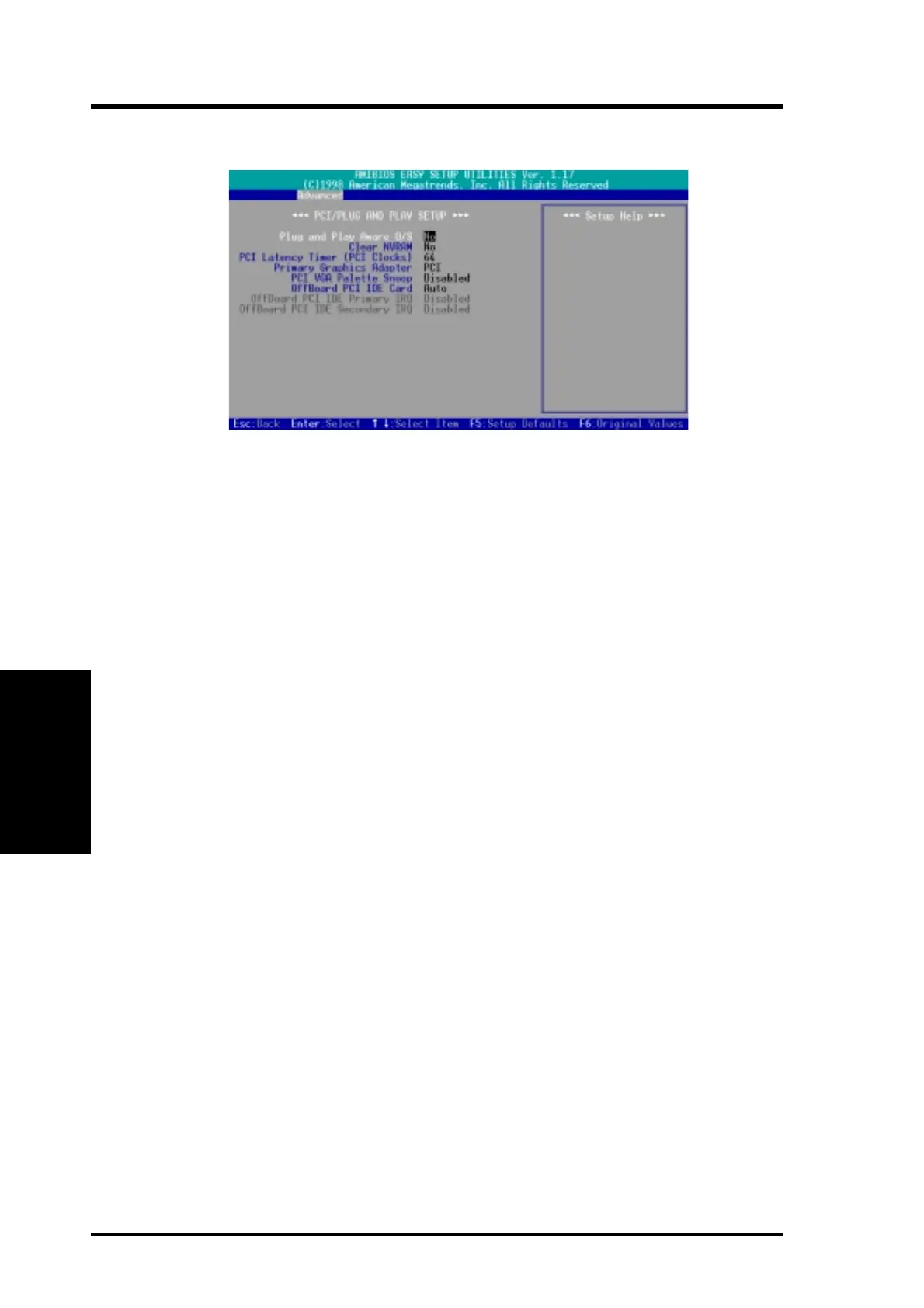
4.4.4 Plug and Play Setup
Plug and Play Aware O/S [No]
This field allows you to use a Plug-and-Play (PnP) operating system to configure
the PCI bus slots instead of using the BIOS. Thus interrupts may be reassigned by
the OS when [Yes] is selected. When a non-PnP OS is installed or to prevent reas-
signing of interrupt settings, select the default setting of [No].
Clear NVRAM [No]
Non-Volatile Random Access Memory (NVRAM) retains its contents when the com-
puter is turned off. NVRAM is used to store essential information such as device
node data, and Setup parameters. Select [Yes] only if you want to clear these data
during the Power-On Self Test (POST).
PCI Latency Timer (PCI Clocks) [64]
Leave on default setting for best performance vs. stability.
Primary Graphics Adapter [PCI]
If your computer has both PCI and AGP VGA cards, this field allows you to select
which of the cards will act as your primary graphic card. [AGP] uses the AGP card
as your primary card. The default, [PCI], allows your PCI graphic card to take pre-
cedent when detected.
PCI/VGA Palette Snoop [Disabled]
Some nonstandard VGA cards, such as graphics accelerators or MPEG Video Cards,
may not show colors properly. The setting [Enabled] should correct this problem.
Otherwise, leave this on the default setting of [Disabled].
OffBoard PCI IDE Card [Auto]
This feature allows you to use a PCI IDE controller card. You may specify a PCI slot
for the card or leave the default setting of [Auto] to use the card on any of the PCI
slots. Available options: [Auto] [Slot1] [Slot2] [Slot3]



 To Next Page