80 ASUS K7M-RM User’s Manual
5. SOFTWARE SETUP
5. S/W SETUP
Windows 98
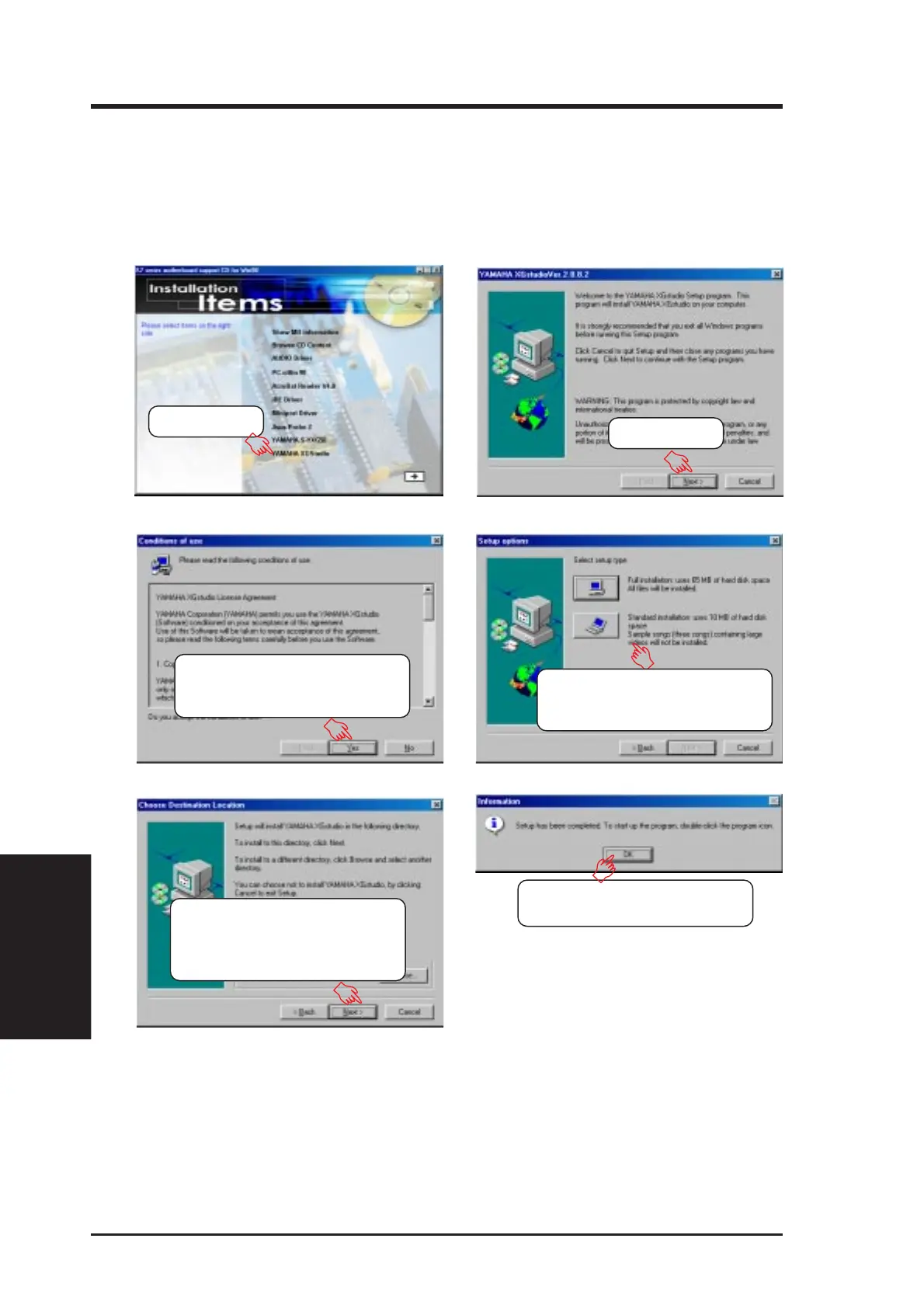
5.10 YAMAHA XGStudio
(only with onboard audio)
Insert the Support CD that came with your motherboard into your CD-ROM drive
or double-click the CD drive icon in My Computer to bring up the setup screen.
(1) Click here.
(2) Click here.
(3) Click Yes to signify your ac-
ceptance of the conditions of
use or license agreement.
(6) Click OK to begin using
XGStudio.
(5) Click here to accept the de-
fault location. Setup then be-
gins copying the necessary
files.
(4) Select the preferred setup
type. Respond accordingly to
the onscreen prompts.



 To Next Page