Notebook PC User Manual
21
Right Side
1
2
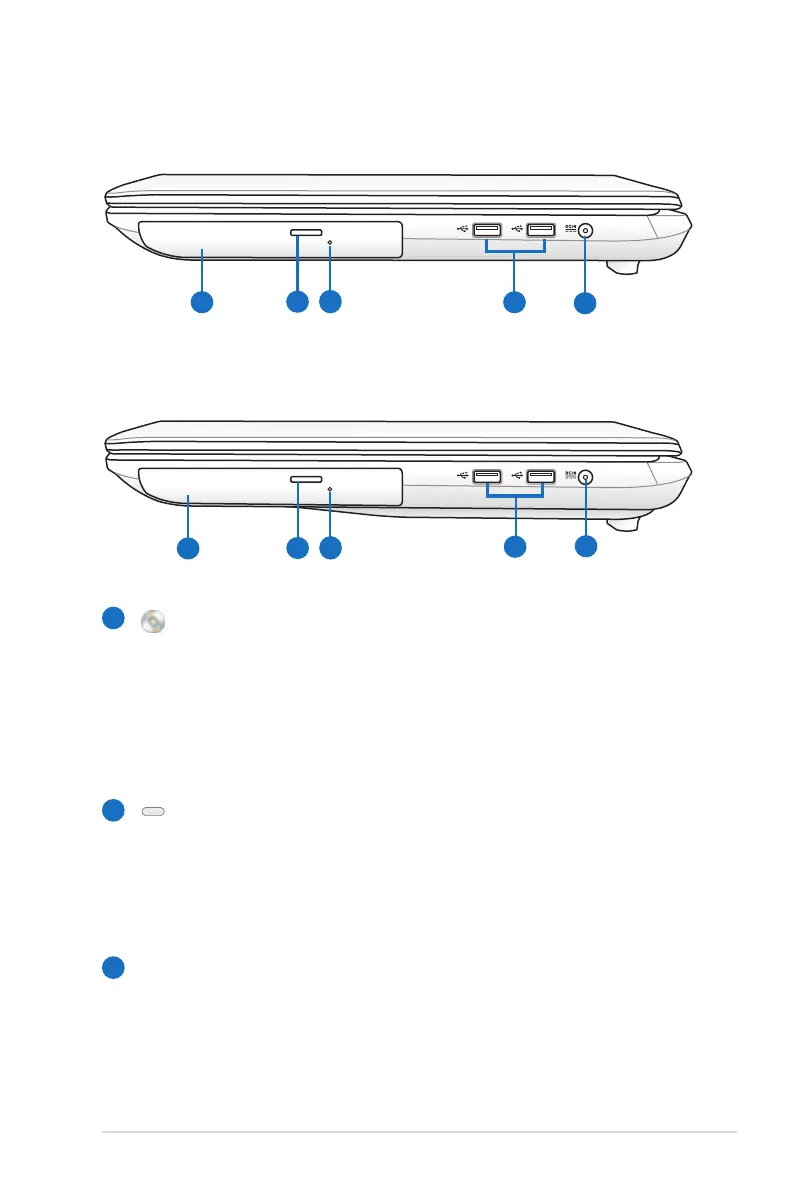
Optical Drive
The Notebook PC comes in various models with different
optical drives. The Notebook PC’s optical drive may support
compact discs (CD) and/or digital video discs (DVD) and
may have recordable (R) or re-writable (RW) capabilities.
See the marketing specifications for details on each model.
Optical Drive Electronic Eject
The optical drive eject has an electronic eject button for
opening the tray. You can also eject the optical drive tray
through any software player or by right clicking the optical
drive in Windows “Computer” and selecting Eject.
Optical Drive Emergency Eject
(location varies by model)
The emergency eject is used to eject the optical drive tray
in case the electronic eject does not work. Do not use the
emergency eject in place of the electronic eject.
3
With 2.5” primary HDD
With 3.5” primary HDD
2
1
3
5
4
2
1
5
3
4


 To Next Page