EasyManua.ls Logo

Asus M32CD - User Manual

Asus M32CD
54 pages
Print Icon
To Next Page IconTo Next Page
Loading...
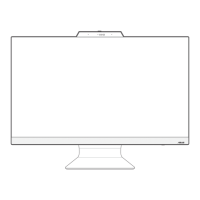
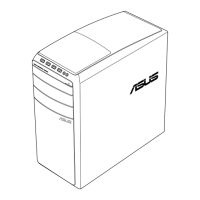
ASUS Desktop PC
M32CD
User Guide

Questions and Answers

  • S
    Samantha WilsonSep 3, 2025
    How to troubleshoot 'no power' issue on Asus M32CD Desktop?
    • S
      Shaun MartinSep 3, 2025
      If your Asus Desktop has no power and the power indicator is off, set your computer’s power voltage switch to your area’s power requirements. Press the power key on the front panel to ensure that your computer is turned on. Ensure that the power cord is properly connected. Use other compatible power cord.
  • B
    bharrisonSep 18, 2025
    How to fix Asus Desktop arrow keys not working on number pad?
    • P
      Peter GarzaSep 18, 2025
      If the arrow keys on the number key pad of your Asus Desktop are not working, check if the Number Lock LED is off. When the Number Lock LED is on, the keys on the number key pad are used to input numbers only. Press the Number Lock key to turn the LED off if you want to use the arrow keys on the number key pad.
  • N
    Nancy CarterSep 16, 2025
    How to fix the distorted picture on HDTV connected to Asus M32CD Desktop?
    • M
      Meagan BaileySep 16, 2025
      The distorted picture on your HDTV is caused by the different resolutions of your monitor and your HDTV. Adjust the screen resolution to fit your HDTV.
  • S
    Shari SavageSep 14, 2025
    What to do if my Asus M32CD DVD drive cannot read a disc?
    • C
      crodriguezSep 14, 2025
      If your Asus Desktop DVD drive can't read a disc, check if the disc is placed with the label side facing up. Ensure the disc is centered in the tray, especially for non-standard sizes or shapes. Check if the disc is scratched or damaged.
  • G
    gsullivanSep 12, 2025
    Why is my Asus Desktop computer too noisy when in use?
    • M
      Mandy MillerSep 12, 2025
      If your Asus Desktop is too noisy, ensure you're using a compatible or ASUS-recommended CPU fan if it has been replaced. Make sure the computer is in an area with good airflow. Update the BIOS. If you know how to reinstall the motherboard, try cleaning the inner space of the chassis.
  • V
    Victoria WilsonSep 12, 2025
    How to restore Asus M32CD Desktop system settings without affecting personal files?
    • A
      Annette SilvaSep 12, 2025
      You can restore or undo changes to your Asus Desktop's system settings without affecting your personal data by using the Windows 10 'Refresh your PC without affecting your files' recovery option. Access this option via Settings > Update & recovery > Recovery from the Start menu, then select 'Refresh your PC without affecting your files' and click 'Get started'.
  • J
    Jodi MartinezSep 9, 2025
    How to fix Asus M32CD computer not detecting USB storage device?
    • M
      Michael RiveraSep 9, 2025
      If your Asus Desktop computer isn't detecting your USB storage device, wait a while after connecting it for the first time, as Windows automatically installs a driver. Then, check My Computer to see if it's detected. If not, connect the USB device to another computer to test if the device itself is broken.
  • J
    Jamie JacksonSep 7, 2025
    How to fix no audio on my Asus M32CD?
    • A
      Antonio SantosSep 7, 2025
      If you have no audio on your Asus Desktop, first ensure that your speaker or headphone is connected to the correct port. Disconnect and reconnect the speaker to your computer. Try using another speaker or headphone. Try both the front and back audio ports, and if one port failed, check if the port is set to multi-channel. Reinstall the audio driver.
  • E
    Elizabeth MannSep 5, 2025
    Why can't my Asus Desktop access the Internet?
    • B
      Brenda KochSep 5, 2025
      If your Asus Desktop cannot access the Internet, connect the LAN cable to your computer. Ensure the LAN LED is on. If not, try another LAN cable. Ensure that your computer is properly connected to a router or hub. Close the anti-virus software. Reinstall the LAN driver.
  • J
    James McgeeAug 20, 2025
    Why is my Asus M32CD computer not powering on?
    • C
      Crystal LopezAug 20, 2025
      If your Asus Desktop isn't powering on and the front panel's power LED is off, ensure the computer is properly connected to a functioning wall outlet and that the Power Supply Unit is switched on.

Summary

Getting Started with Your ASUS Desktop PC

Connecting Monitors and Peripherals

Guides for connecting monitors, keyboard, mouse, and power.

Initial PC Power-On Procedure

Step-by-step instructions to turn on the computer for the first time.

Connecting Devices to Your Computer

Managing USB Storage Devices

Procedures for connecting and safely removing USB storage devices.

Connecting to the Internet

Network IP Configuration

How to set up dynamic, PPPoE, and static IP addresses for internet.

Troubleshooting Common PC Issues

Power, Display, and Network Issues

Solutions for power, display, and network connectivity problems.

Windows 10 Operating System Guide

Asus M32CD Specifications

General IconGeneral
Operating SystemWindows 10 Home
ChipsetIntel H110
Storage128 GB SSD
GraphicsNVIDIA GeForce GTX 750
Optical DriveDVD Super Multi
USB Ports4 x USB 2.0
Network10/100/1000 Mbps
AudioRealtek ALC887
ProcessorIntel Core i7-6700

Related product manuals