EasyManua.ls Logo

Asus M32CD - User Manual

Asus M32CD
54 pages
Print Icon
To Next Page IconTo Next Page
Loading...
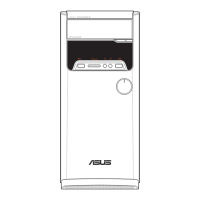
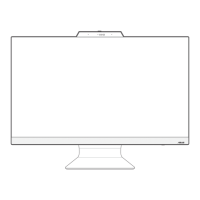
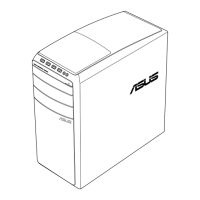
ASUS Desktop PC
M32CD
User Guide

Questions and Answers

  • C
    Charles PerrySep 2, 2025
    Why does my Asus Desktop system often hang or freeze?
    • M
      Michael SmithSep 2, 2025
      If your Asus Desktop system often hangs or freezes, send the damaged hard disk drive to ASUS Service Center for servicing. Replace with a new hard disk drive. Replace with compatible memory modules. Remove the extra memory modules that you have installed, then try again. Move your computer to an area with better air flow. Reinstall the OS and reinstall compatible softwares.
  • J
    Joshua WilsonAug 31, 2025
    How to fix no display output after turning on Asus M32CD (black screen)?
    • R
      Robin KelleyAug 31, 2025
      If there's no display output (black screen) after turning on your Asus Desktop, connect the signal cable to the correct display port (onboard VGA or discrete VGA port). If you are using a discrete VGA card, connect the signal cable to the discrete VGA port. Try connecting to another monitor.
  • C
    Christina MolinaAug 29, 2025
    How to fix Asus Desktop when only one monitor has display?
    • S
      scott67Aug 29, 2025
      If you're using multiple monitors with your Asus Desktop and only one displays, ensure both monitors are powered on. During POST, only the monitor connected to the VGA port has display, as dual display functions only under Windows. If a graphics card is installed, connect the monitors to the output port on the graphics card. Check if the multiple displays settings are correct.
  • J
    Jeffrey MartinezAug 27, 2025
    What to do if my Asus Desktop computer hangs?
    • J
      Jennifer GarciaAug 27, 2025
      If your Asus Desktop computer hangs, simultaneously press the + + keys on the keyboard, then click Task Manager. If the keyboard is not responding, press and hold the Power button on the top of your chassis until the computer shuts down. Then press the Power button to turn it on.
  • J
    jacksonjeffreyAug 26, 2025
    What to do if my Asus Desktop computer has no display on the monitor?
    • M
      Manuel McdonaldAug 26, 2025
      If there's no display on your monitor, first check that the monitor is powered on and properly connected to the video output port on your Asus Desktop. If your computer has a discrete graphics card, make sure the monitor is connected to a video output port on that card. Also, inspect the monitor video connector for bent pins, and ensure the monitor is properly plugged into a power source.
  • D
    David SimpsonAug 25, 2025
    How to connect to a wireless network using Asus WLAN Card?
    • B
      Barbara RayAug 25, 2025
      To connect to a wireless network using the ASUS WLAN Card on your Desktop, ensure that you enter the correct network security key for the wireless network you want to connect to. Connect the external antennas (optional) to the antenna connectors on the ASUS WLAN Card and place the antennas on the top of your computer chassis for the best wireless performance.
  • I
    Ivan ParkerAug 22, 2025
    What to do if my Asus M32CD Desktop computer system speed is too slow?
    • E
      Emily GarrettAug 22, 2025
      If your Asus Desktop is running slowly, try closing some programs to free up resources. Use anti-virus software to scan for and repair any viruses on your computer. As a last resort, you can reinstall the operating system.

Summary

Getting Started with Your ASUS Desktop PC

Connecting Monitors and Peripherals

Guides for connecting monitors, keyboard, mouse, and power.

Initial PC Power-On Procedure

Step-by-step instructions to turn on the computer for the first time.

Connecting Devices to Your Computer

Managing USB Storage Devices

Procedures for connecting and safely removing USB storage devices.

Connecting to the Internet

Network IP Configuration

How to set up dynamic, PPPoE, and static IP addresses for internet.

Troubleshooting Common PC Issues

Power, Display, and Network Issues

Solutions for power, display, and network connectivity problems.

Windows 10 Operating System Guide

Asus M32CD Specifications

General IconGeneral
Operating SystemWindows 10 Home
ChipsetIntel H110
Storage128 GB SSD
GraphicsNVIDIA GeForce GTX 750
Optical DriveDVD Super Multi
USB Ports4 x USB 2.0
Network10/100/1000 Mbps
AudioRealtek ALC887
ProcessorIntel Core i7-6700

Related product manuals