Chapter 6: Staying connected
79
USB tethering
Enable USB tethering on your ASUS Tablet and share its Internet connection with other devices.
1. Connect your ASUS Tablet to another device with a USB cable.
2. When the Use USB for le transfer prompt appears, tap Yes.
3. Do any of the following to launch the Settings screen:
• Launch Quick settings then tap .
• Tap > Settings.
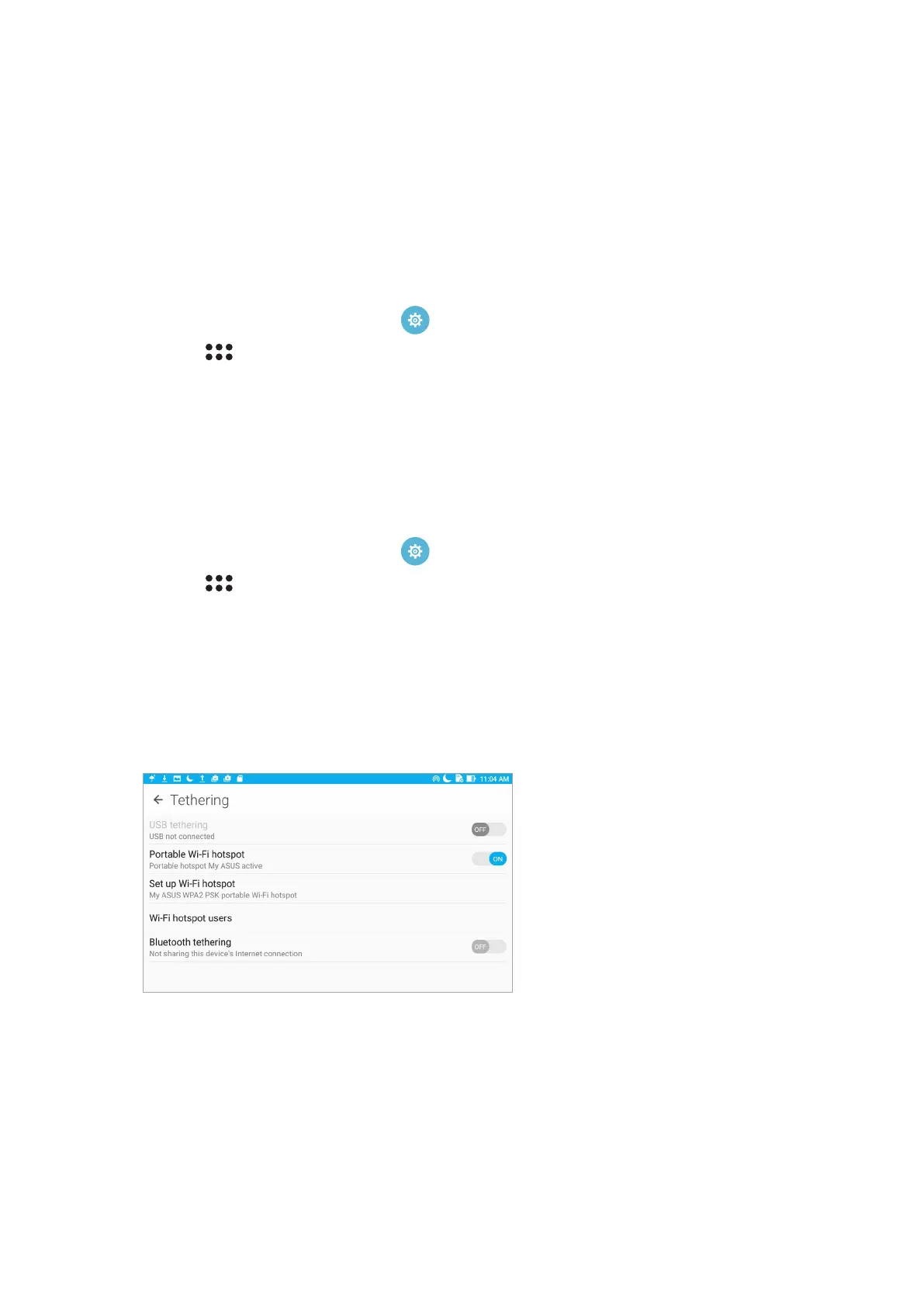
4. From the Settings screen, tap More > Tethering, then slide USB tethering to ON.
Wi-Fi hotspot
Turn your ASUS Tablet into a Wi-Fi hotspot to link with other devices.
1. Do any of the following to launch the Settings screen:
• Launch Quick settings then tap .
• Tap > Settings.
2. Tap More > Tethering > Set up Wi-Fi hotspot.
3. Assign a unique SSID or network name and a strong 8-character password for your Wi-Fi
hotspot. When done, tap Save.
4. From the Tethering screen, tap Portable Wi-Fi hotspot to turn on the Wi-Fi hotspot on your
ASUS Tablet.
5. Connect other devices to your ASUS Tablet’s hotspot connection the same way you connect to
a Wi-Fi network.



 To Next Page