24
No. Item Description
1
Power button Press and hold to turn the power ON or OFF.
Press once to set suspend mode or to wake device from sleep
mode.
2
Power indicator LED This multicolor LED noties the following:
• Green: Phone fully charged.
• Flashing green: Network detected.
• Red: Phone is charging.
• Flashing red: Event notication.
• Flashing blue: Bluetooth
®
,Wi-Fi, or GPS is ON.
3
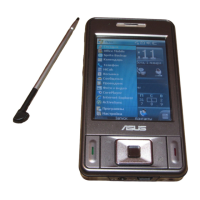
LCD touch screen This 2.6-inch, 65,536 color, 240 x 320 resolution, touchscreen
TFT LCD allows you to write, draw, or make selections using
the stylus.
4
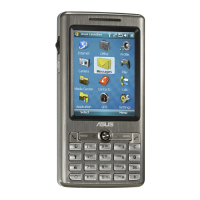
Left and Right Soft keys Perform the command indicated above the button.
5
End key Press to end a call.
6
OK key
Press to conrm a command or press to close/exit an open
application.
7
Navigation key This ve-direction navigation key allows you to navigate
through menus. Press center to conrm a command.
8
Start key Press to launch the Start menu.
9
Call key Press to receive an incoming call or to make a call.
10
Earpiece receiver Allows you to listen to an active call.
11
Stylus Use the stylus to write, draw, or select items on the touch
screen.



 To Next Page