40
NOTE: *The icon displayed for your Packet Service connection will depend on your location and mobile service
provider.
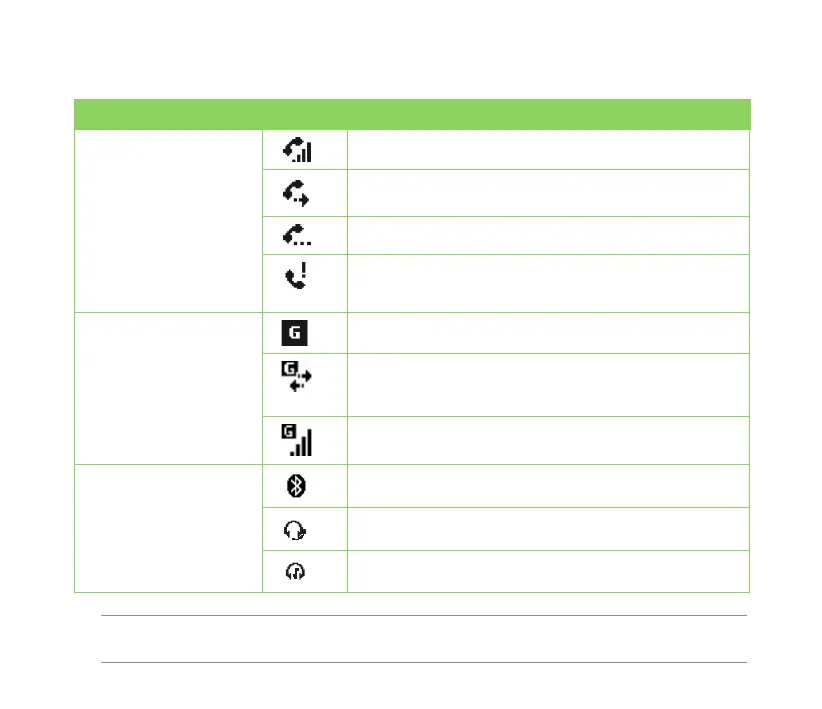
Icon Description
Call status Call in progress
Call forwarded
Call on hold
Missed call
General Packet Radio
Service (GPRS)
connection status*
GPRS available
Connecting via GPRS
Connected via GPRS
Bluetooth connection Connecting with Bluetooth
Bluetooth headset connected
Bluetooth headset connected with sound
Status indicators
Refer to the table below for the status indicators.



 To Next Page