61
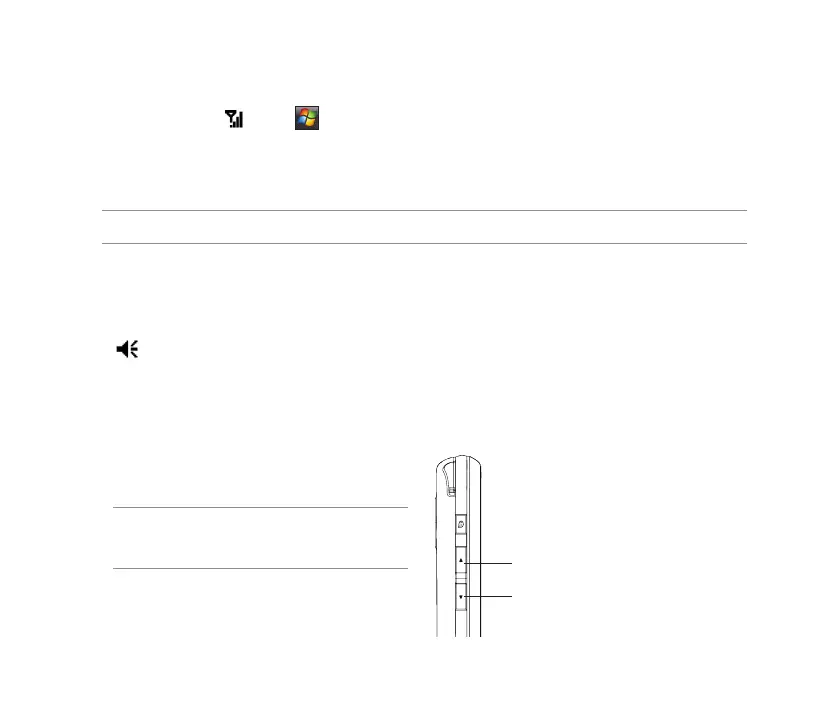
Press to increase volume
Press to decrease volume or
turn volume off.
Turning off phone function
To turn off phone function:
1. Tap the signal icon , or tap > Settings > Connections.
2. Tap Wireless Manager.
3. Tap Phone to turn on/off the phone connection.
NOTE: You may still use other functions even when your device’s phone function is turned off.
Adjusting the volume
To adjust the phone or device volume:
1. Tap from the status bar.
2. From the volume menu, you can:
• Move the slider to adjust device or phone volume.
• Tap On, Vibrate, or Off to change the system and ringer volume settings.
NOTE: You can also press the volume controller
keys at the left side of the device to adjust the
volume.



 To Next Page