56
Adding Bluetooth devices
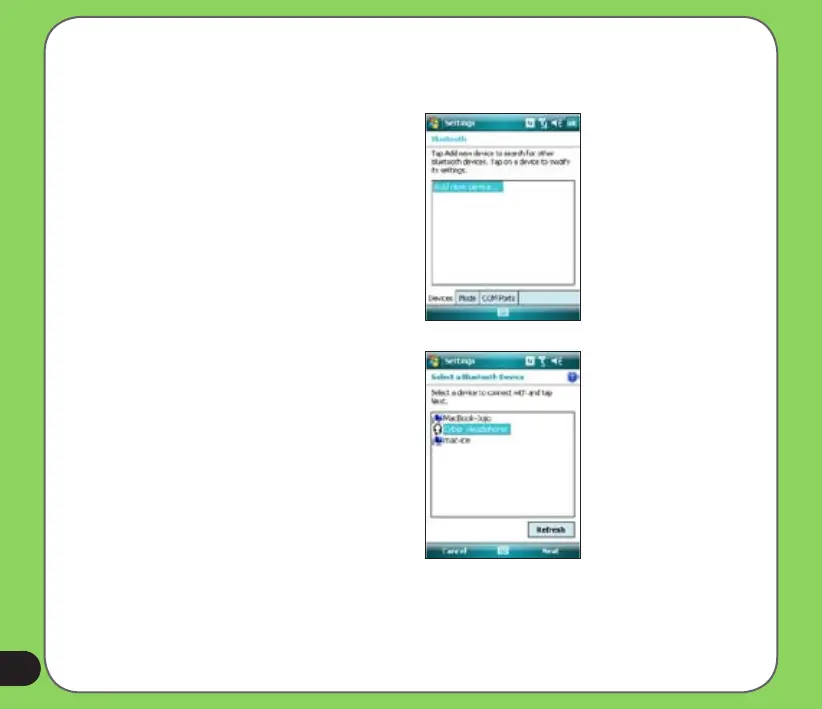
1. Make sure that Bluetooth is enabled
on the device you want to add and the
device is set as Discoverable.
2. Tap Start > Settings > Connections
then tap Bluetooth icon.
3. Tap Add new device... to search
for available Bluetooth devices. The
search may take a while.
4. Select the device you want to connect
with then tap Next or press the Right
Soft key.


 To Next Page