89
Using ASUS CallFilter
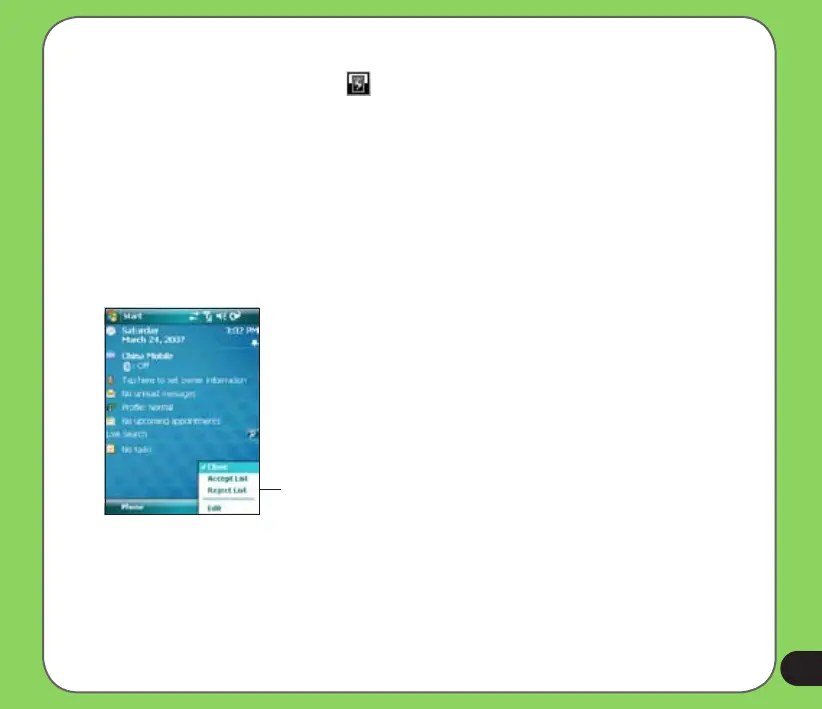
After installing the necessary les, tap to launch the ASUS CallFilter shortcut menu. The
shortcut menu allows you to conveniently activate either the Accept or Reject list.
From the shortcut menu, do any of the following:
CallFilter shortcut menu
• Tap Accept List to activate Accept list and receive only incoming calls whose numbers
are in the Accept list.
• Tap Reject List to activate Reject list and reject all incoming calls whose numbers are
in the Reject list.
• Tap Edit to open the CallFilter utility screen.
• Tap Close to deactivate CallFilter.


 To Next Page