64
Using the GPRS Tool
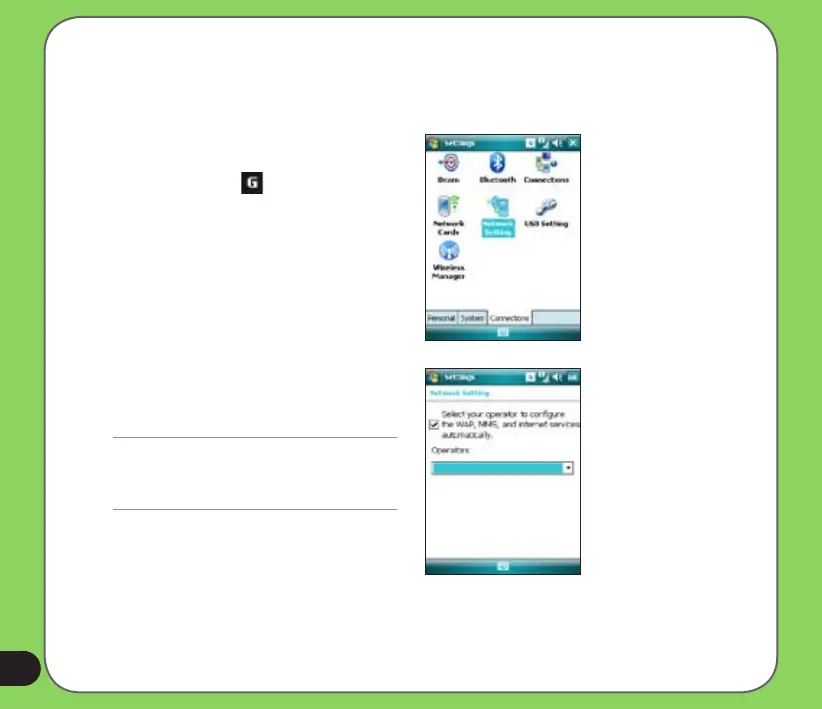
The GPRS Tool allows you to conveniently select and connect to your GPRS service provider.
To connect via GPRS Tool:
1. Tap Start > Settings > Connections
tab then tap the Network Setting icon.
You can also tap on the status bar
then tap Settings from the pop-up
callout.
2. From the Network Setting screen,
select your GPRS provider from the
list.
NOTE:
• Operators vary in different regions.
• The GPRS and USB connections cannot be used
at the same time.


 To Next Page