BurbankSchoolDistrict11110
UsingHotKeys
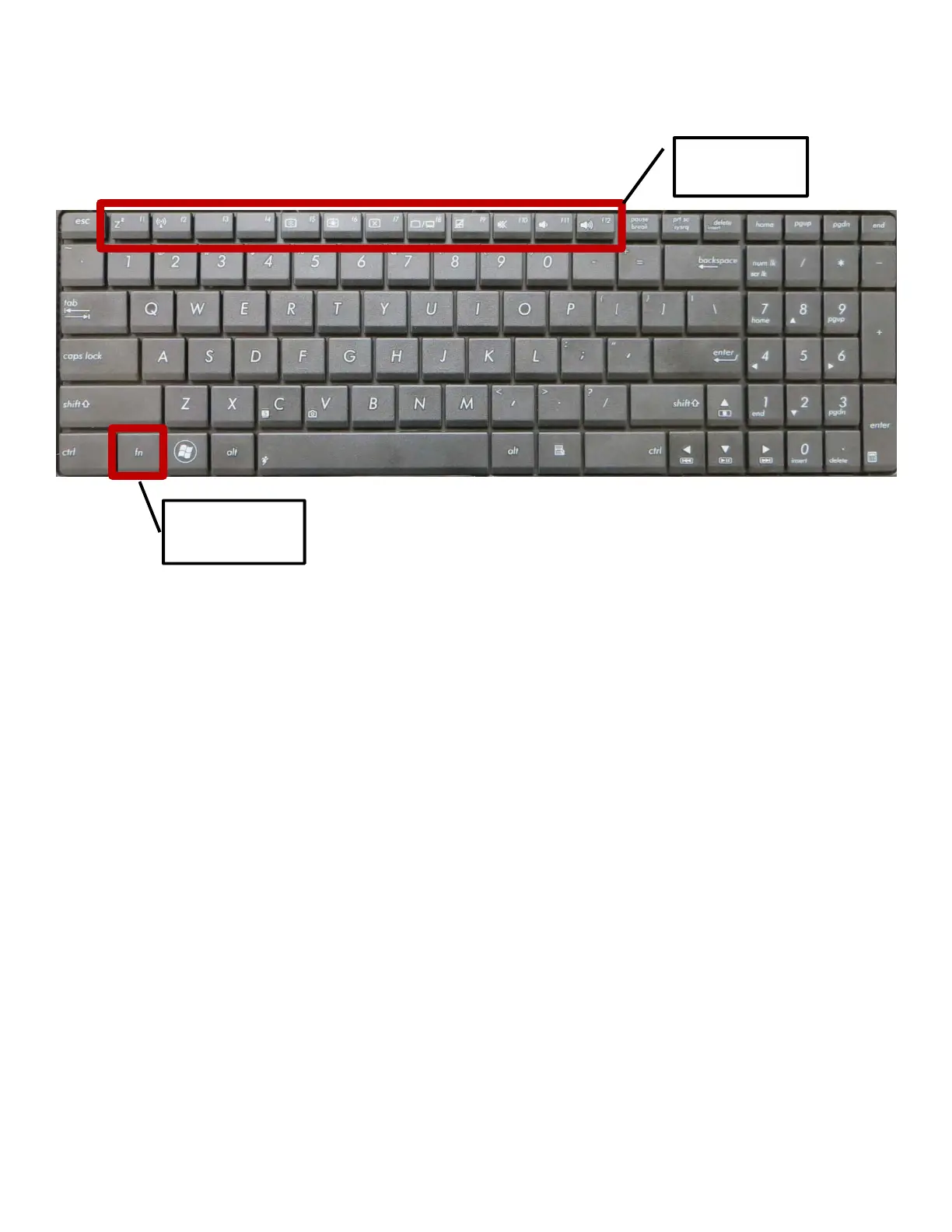
Thefunctionkeys(f1throughf12 )arelocatedatthetopoftheNotebookkeyboard.Themajorityofthesekeysare
imprintedwithanadditionalicon.Whenthesefunctionkeysareusedincombinationwiththefunctionbutton(fn),they
serveashotkeystoperformaspecificcommand.
HelpfulCommands
Thefollowingkeycombinationsperformtheactionsspecified:
1. fn+f2(RadioTowerIcon)–togglesthewirelessconnectiononandoff.Whenthewirelessisenabled,the
correspondingwirelessindicatorlightonthefrontoftheNotebookwillturngreen.
PLEASENOTE:Ifthewireless
indicatorlightisNOTlit,youwillnotbeabletoaccessthedistrictnetworkorthe
internet.
2. fn+f5(SunDownIcon)–decreasesthedisplaybrightness
3. fn+f6(SunUpIcon)–increasesthedisplaybrightness
4. fn+f8(LCD/MonitorIcons)–toggles
betweentheNotebook’sLCDscreenandanexternalmonitor
PLEASENOTE:TheexternalmonitormustbeconnectedBEFOREbootinguptheNotebook.
5. fn+f10(CrossedSpeakerIcon)–togglestheNotebookspeakersonandoff
6. fn+f11(SpeakerDownIcon)–decreasestheNotebookspeakervolume
7. fn+f12(SpeakerUpIcon)–increasestheNotebookspeakervolume
FunctionKeys
f1–f12
Functionbutton
fn











 To Previous Page