BurbankSchoolDistrict1118
GettingStarted
TurningtheNotebookPCOnandOff
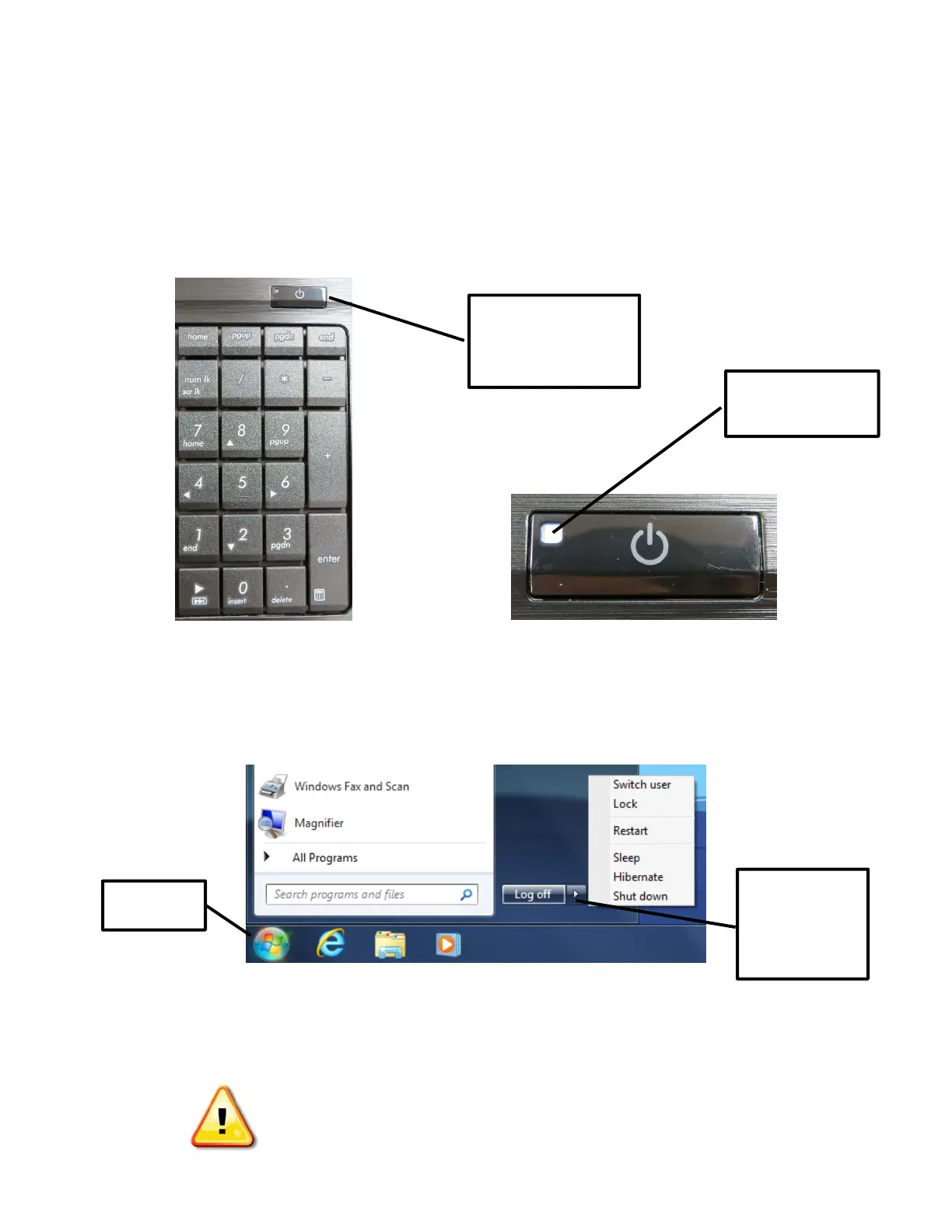
PoweringON
TheNotebookPCcanbeusedwiththeAC/DCpoweradapterandcord,oronbatterypower.Thebatterypackhas
alreadybeeninstalledandwillbegintochargeassoonastheNo tebookPCisconnectedtoexternalpowerusingthe
powercord.Fullychargetheba tteryprior
tousingtheNotebookPCforthefirsttime.TopowerontheNotebookPC,
opentheLCDdisplaypanelandpressthepowerbuttononce.
Thewhitelightonthepo werbuttonwillgoonandtheNotebookPCwillbringupthestandardWindowsCTRL‐ALT‐
DELETEscreen.
PressCTRL‐ALT‐DELETEandloginwithyourBSD111usernameandpassword.
PoweringOFF
ClickontheStartbutton,thenclickonthearrownexttoLogOfftoselecttheShutDownoption:
PLEASENOTE:Intheeventthattheoperatingsystemcannotproperlyturnoffor
restart,performanemergency
shutdownbyholdingthepowerbuttondownforatleastfour(4)seconds.
DONOTuseemergencyshutdownwhiledataisbeingwritten.
Doingsocanresultinthelossordestructionofyourdata.
Presspowerbutton
oncetoturnon
Lightindicates
powerison
Start
Clickhereto
accessthe
Shutdown
option








 To Next Page