BurbankSchoolDistrict1113
AboutthisGuide
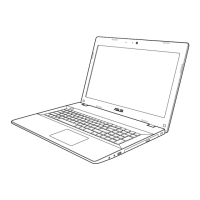
ThepurposeofthisguideistoprovideinformationonthevariouscomponentsoftheASUSP53ENotebookPC
andhowtorecognizeandusethem.
NotebookSafety&Care
ThefollowingmeasureswillincreasethelifeoftheNotebookPC.Followallprecautionsandinstructions.Pleasereport
anydamagetoequipmentimmediately.
SafetyPrecautions
DONOTplaceonunevenorunstableworksurfaces,orneartableordeskedges.
DONOTplaceonthefloororonasittingareasuchasachairorcouch.
DONOTallowpetsneartheNotebookPC.
DONOTleaveunattended.
DONOTleaveinavehicle.
DONOTstackordropobjectsontopoftheNotebookPC.
DONOTplacetogetherwithsmallitemsthatmayscratchorotherwisedamagetheNotebookPC.
DONOTexposetodirtyordustyenvironments.
DONOTexposetostrongmagneticorelectricalfields.
DONOTexposetoorusenearwater.
DONOTeatordrink,orhavefoodorliquidsincloseproximity,whileusingtheNotebookPC.
DONOTpressontheLCDdisplaypanel.
DONOTleavetheNotebookPCdirectlyonyourlaporotherpartofyourbodytopreventdiscomfortorinjury
fromheatexposure.
DONOTuseinambienttemperaturesbelow50ºForabove95ºF.
DONOTcheckasluggageattheairport.
DONOTattempttodisassembletheNotebookPC.
DONOTcarryorcovertheNotebookPCwithanymaterialsthatwillreduceaircirculationwhileitispowered
ON.ThisincludesplacingtheNotebookPCintheprovidedcarryingcasewhilepoweredon.
DONOTusedamagedpowercordsoraccessories.
TransportationPrecautions
Beforetransport, turnOFFtheNotebookPCanddisconnectanyexternaldevices,suchasUSBflashdrives,to
preventdamagetotheconnectors.
ClosetheLCD displaypanelsecurelytoprotectthekeyboardanddisplaypanel.
UsetheprovidedNotebookcarryingcasetoprotectthePCfromdirt,water,shock,andscratches.
CleaningInstructions
TurntheNotebookPCOFFanddisconnectthepowercordandanyexternaldevicesbeforecleaning.
WipetheNotebookPCoutercasingwithacleancellulosespongeorchamoisclothdampene dwithasolutionof
nonabrasivedetergentandafewdropsofwarmwater.Removeanyextramoisturewithadrycloth.
WipetheLCDdisplaypanelwithasoftcloth.Dampenwithplainwaterifnecessary.ClothshouldNOTcontain
anychemicals.
Strongsolventssuchasthinners,benzene,orotherchemicalsshouldneverbeusedonorneartheNotebookPC.








 To Next Page