BurbankSchoolDistrict1119
UsingtheTouchPad
Thetouchpadallowsyoutouseyourfingerstomovethepointeraroundorselectonscreenitemsinsteadofusinga
standardmouse.Tousethetouchpad,lightlypressortapyourfingeronthetouchpad.
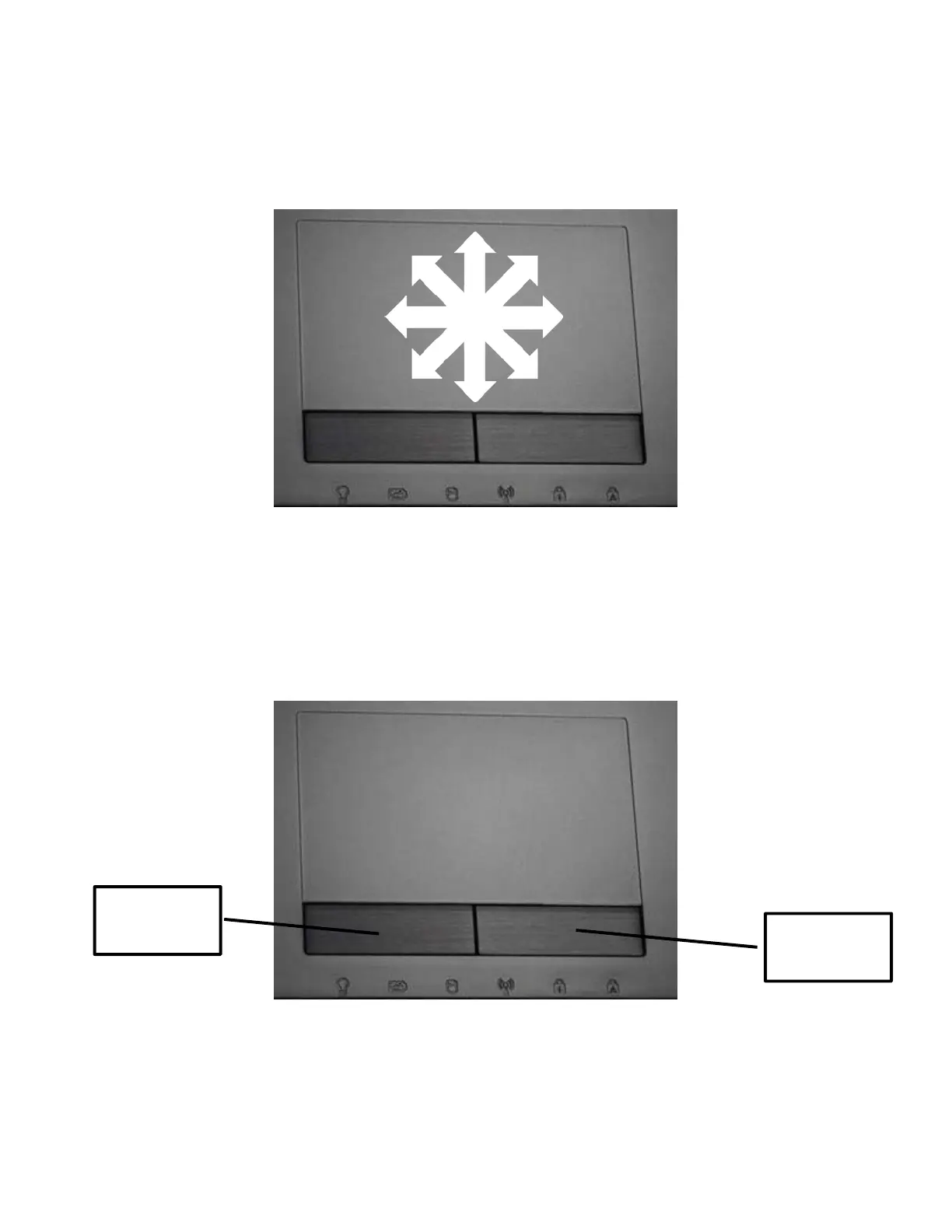
MovingthePointer
Placeyourfingerinthecenterofthetouchpad and slidein
adirectiontomovethepointer.
Clicking/Tapping
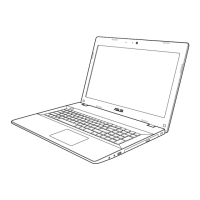
Thetouchpadbuttonsfunctionastheleftandrightstandardmousebuttons.Withthepointeroveranitem,clickthe
leftbuttonortapthetouchpadoncetoselecttheitem.Eitheractionwillhighlighttheitemshowingthatithasbeen
selected.Alternately,double‐clickingtheleftbuttonortappingthetouchpadtwiceinquicksuccessionwiththepointer
overaniconwillopentheinten dedprogram.
Right‐click
button
Left‐click
button
Taponceonthetouchpad to
selectanitem.Double‐tapto
openorlaunchaprogram.








 To Next Page