143
EziPhoto
EziPhoto enables you to view and manage your photos conveniently.
To launch EziPhoto, do either of the following:
• Tap > Programs > EziPhoto.
• Press the AnyTime Launcher key, then tap > EziPhoto.
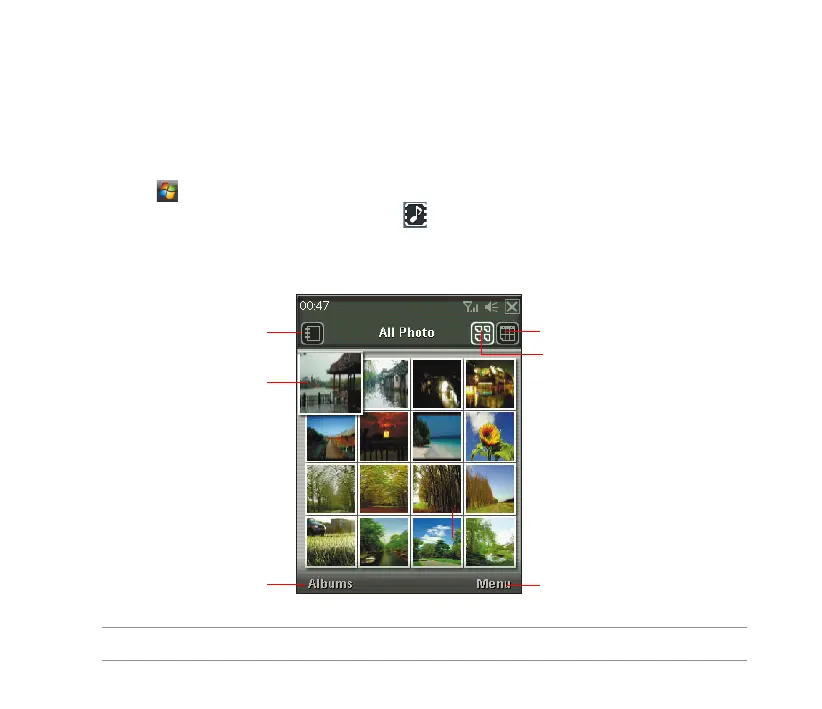
The following describes the EziPhoto prole on your device.
Tap to open the Calendar
Tap to view all photos
Tap to open the menu list
Tap to open Albums
Tap a photo to view in
full- screen mode
Tap to switch among Album,
Calendar, and All Photos view
NOTE: For more details, refer to the Feature Highlights Guide.



 To Next Page