13
ASUS PhysX
TM
Installation Guide
English
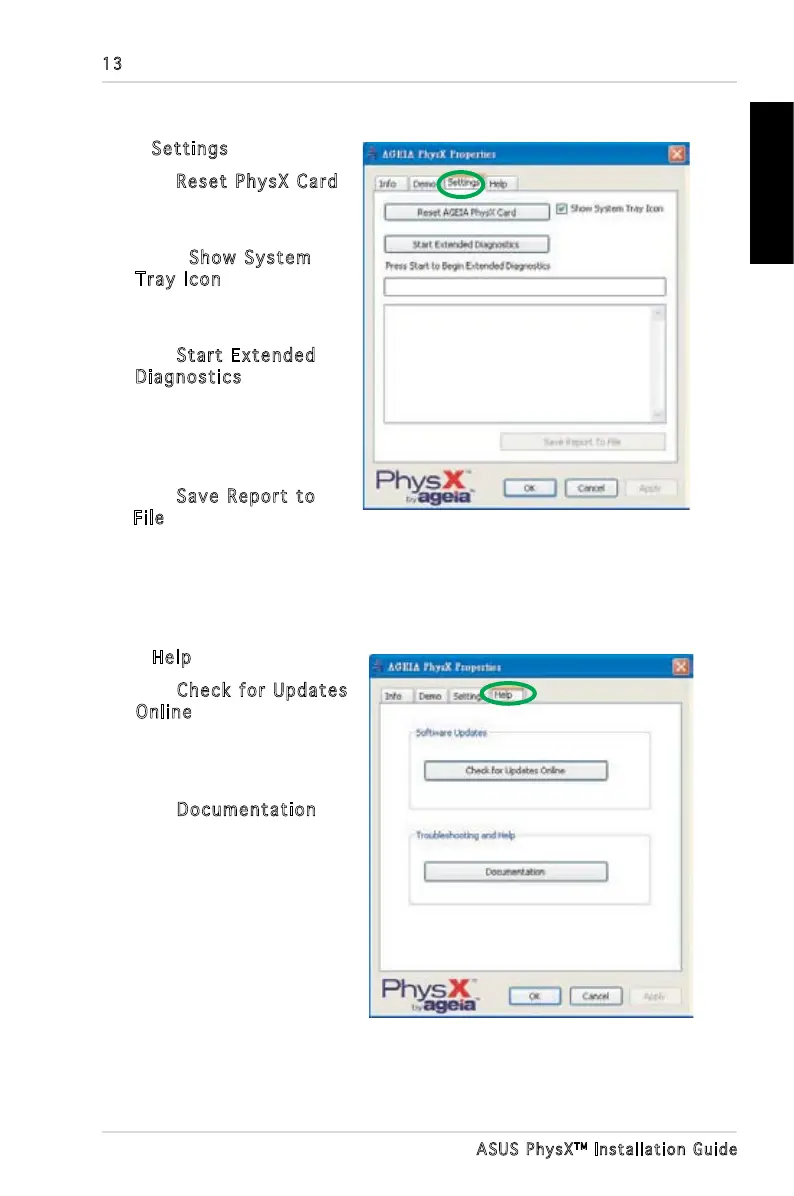
2.4 Settings
In the Settings tab you can:
• Click
Reset PhysX Card
button to execute a soft
reset of the card.
• Select
Show System
Tray Icon checkbox
to display the icon on your
Desktop.
• Click
Start Extended
Diagnostics to run
extended diagnostics
on the ASUS PhysX card.
The text box displays the
result of the diagnostics.
• Click
Save Report to
File to save the diagnostics
result for future technical
support use.
2.5 Help
In the Help tab you can:
• Click
Check for Updates
Online button to obtain
your device driver update
information or update it
online.
• Click
Documentation for
more documentation
of PhysX card.



 To Next Page