17
ASUS PhysX
TM
Installation Guide
English
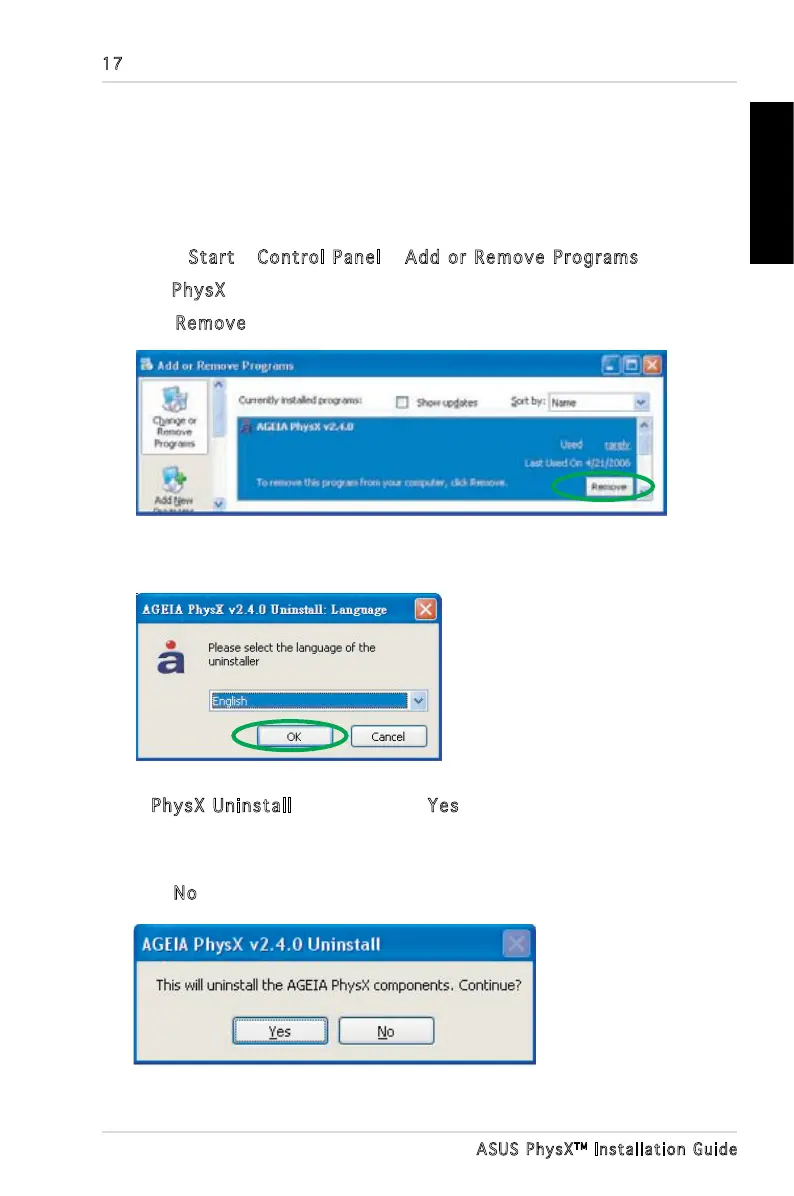
5. In PhysX Uninstall dialog box, click Yes to uninstall PhysX driver and
utilities from your computer.
Or
Click
No to keep the PhysX driver and utilities on your computer.
4. Uninstalling the Driver and
Utilities
To uninstall PhysX driver and utilities:
1. Select
Start > Control Panel > Add or Remove Programs.
2. Find
PhysX icon, click it.
3. Click
Remove button.
4. Select the language of the uninstaller then click OK.



 To Next Page