16
ASUS PhysX
TM
Installation Guide
English
3.3 Verifying the PhysX Driver
1. On your PC desktop, right-click My Computer icon, then select
Properties > Hardware tab.
2. Click
Device Manager.
3. If the ASUS PhysX card and driver have been successfully installed and
power is supplied to the card, the
PhysX card icon is listed
in the Device Manager window.
4. Right-click
PhysX card icon, then select Properties.
5. Click
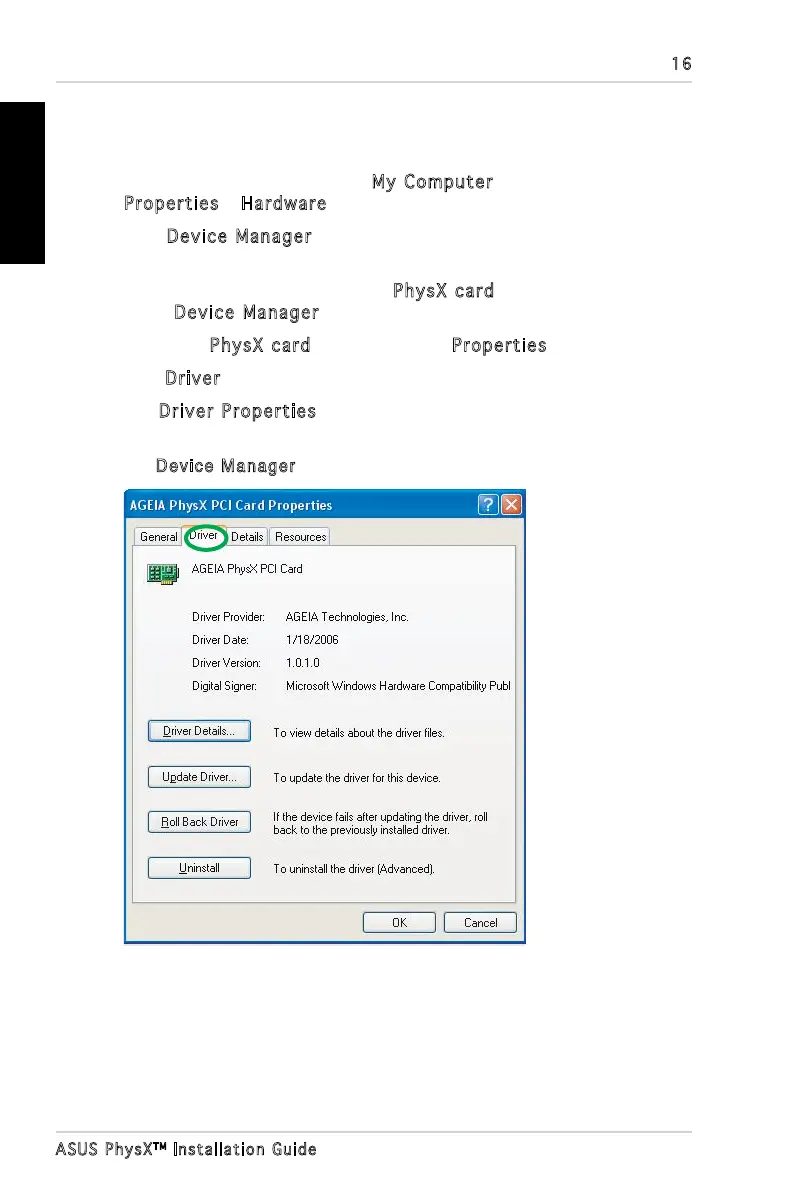
Driver tab.
6. The
Driver Properties window displays the PhysX Card Device
Driver’s information.
7. Exit
Device Manager.



 To Next Page