2-2 Chapter 2: Setup
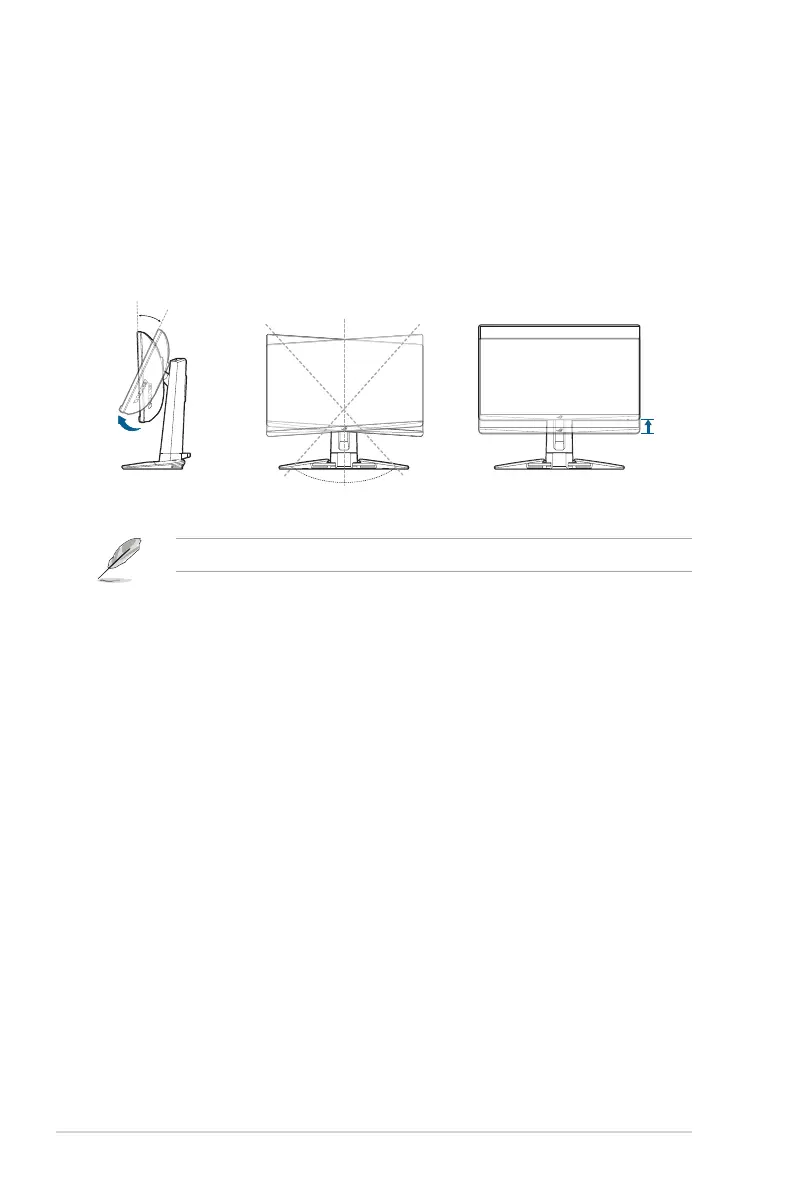
2.3 Adjusting the monitor
• For optimal viewing, we recommend that you look at the full face of the
monitor, then adjust the monitor to the angle that is most comfortable for you.
• Hold the stand to prevent the monitor from falling when you change its angle.
• The recommended adjusting angle is +20˚ to -5˚ (for tilt)/+30˚ to -30˚ (for
swiveling)/ 110 mm (for height adjustment).
30°
0°
30 °
-5° ~ +20°
110mm
(Tilt) (Swivel)
(Height adjustment)
It is normal that the monitor slightly shakes while you adjust the viewing angle.


 To Next Page
 Loading...