Web Support
Connect
Extend
Congure
Setup AiMesh node(RP-AC1900) with wired
connection
METHOD
3
Disconnect your Ethernet (wired)
connection from your computer.
Click the Wi-Fi icon on the taskbar
and connect to RP-AC1900’s network:
ASUS_RP_XX or ASUS_RP_XX_5G
For more information, please refer to the Setup Methods on the back.
1
On a web browser, enter http://repeater.asus.com.
Set a unique repeater login name and password.
Select the existing network you want to extend.
3
1
Tick Same with Parent AP SSID/Password to
copy the router/AP’s SSID and password for
your extended network. You could also set a
unique SSID and pass word for your extended
network by typing in the text box. When done,
click Apply.
Press the Pair button on your RP-AC1900 for
more than two (2) seconds until the power
LED starts to blink.
ASUS_RP_XX
ASUS_RP_XX_5G
Dual-Band Wireless Repeater

 Need help?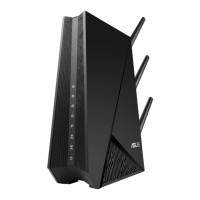

 To Next Page
 General