Need help?
Do you have a question about the Asus RP-AC55 and is the answer not in the manual?
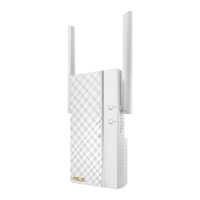
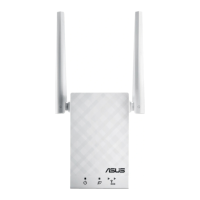
Details and identifies the physical components and indicators of the RP-AC55.
Instructions for powering on the RP-AC55 and waiting for the Power LED indicator.
Connects the RP-AC55 to your network using the WPS function.
Connects the RP-AC55 by accessing its web interface via a browser.
Steps to configure the repeater and connect to your Wi-Fi network.
Advice on positioning the RP-AC55 for optimal signal strength and performance.
Addresses common issues like WPS, LED status, login access, and device reset procedures.
Troubleshoots Web GUI access problems and provides network configuration steps.
Compliance statement regarding Federal Communications Commission Rules.
Prohibits co-location of the device and its antenna with other antennas or transmitters.
Information on compliance with EU radiation exposure limits.
Statement of compliance with Canadian ISED regulations for radio frequency devices.
Information on REACH compliance and ASUS recycling/takeback services.
Safety guidelines for using the RP-AC55 device in various environments and conditions.
Declares compliance with essential requirements of Directive 2014/53/EU.
Declares compliance with ecodesign requirements under directive 2009/125/EC.
 General
| Maximum data transfer rate | 1200 Mbit/s |
|---|---|
| Antennas quantity | 2 |
| Wi-Fi | Yes |
| Wi-Fi band | Dual-band (2.4 GHz / 5 GHz) |
| Frequency band | 2.4, 5 GHz |
| Cabling technology | 10/100/1000Base-T(X) |
| Networking standards | IEEE 802.11ac, IEEE 802.11n |
| Ethernet LAN data rates | 10, 100, 1000 Mbit/s |
| Ethernet LAN (RJ-45) ports | 1 |
| Product type | Network repeater |
| Product color | White |
| LED indicators | LAN, Power |
| Compatible operating systems | Windows 10, Windows 8.1, Windows 8, Windows 7, Mac OS X 10.7, Mac OS X 10.8, Mac OS X 9, Mac OS X 10, Mac OS X 11, Mac OS X 12 |
 Weight and Dimensions
| Weight | 140 g |
|---|

 To Next Page