Need help?
Do you have a question about the Asus RP-AX56 and is the answer not in the manual?
Identifies the LED, WPS button, reset button, and LAN port on the device.
Launches the WPS Wizard for easy setup.
Resets the system to its factory default settings.
Connects your PC to the network via a cable.
Details LED status for booting, WPS, signal strength, and AP modes.
Details LED status specific to AiMesh connectivity and modes.
Provides guidance on placing the RP-AX56 for best performance near the router.
Instructions for configuring the RP-AX56 as a Wi-Fi repeater using the ASUS Extender App.
Steps to download and utilize the ASUS Extender mobile application for setup.
Guides users through connecting the RP-AX56 to a router using the WPS button.
Instructions to download the ASUS Router app for AiMesh node setup.
Covers placement, firmware, and verification steps for AiMesh connectivity problems.
Instructions on how to reset the RP-AX56 to factory default settings using the reset button.
Recommendations for positioning the router and repeater to minimize interference and maximize performance.
Explains how to set up a wired connection between AiMesh router and node for improved stability and throughput.
Step-by-step guide to configuring the ASUS Repeater to operate in Access Point (AP) mode.
 General
| WLAN data transfer rate (max) | 1800 Mbit/s |
|---|---|
| Type | Network transmitter |
| Mac compatibility | Yes |
| Ethernet LAN data rates | 10, 100, 1000 Mbit/s |
| Maximum transfer distance | - m |
| Windows operating systems supported | Windows 10, Windows 7, Windows 8, Windows 8.1 |
| Modulation | 1024-QAM |
| Wi-Fi band | Dual-band (2.4 GHz / 5 GHz) |
| Wi-Fi standards | 802.11a, 802.11b, 802.11g, Wi-Fi 4 (802.11n), Wi-Fi 5 (802.11ac), Wi-Fi 6 (802.11ax) |
| Networking standards | IEEE 802.11a, IEEE 802.11ac, IEEE 802.11ax, IEEE 802.11b, IEEE 802.11g, IEEE 802.11n |
| Ethernet LAN (RJ-45) ports | 1 |
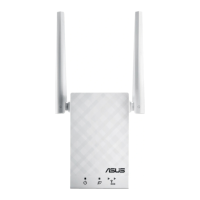
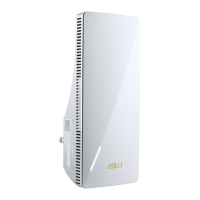
| Product color | White |
| Quantity per pack | 1 pc(s) |
| Flash memory | 128 MB |
| Internal memory | 256 MB |
| Antenna type | Internal |
| Antennas quantity | 2 |
| Harmonized System (HS) code | 85176990 |
 Weight and Dimensions
| Weight | 190 g |
|---|

 To Next Page