36
2. Follow the steps below to add, delete, or modify an account.
To create a new account:
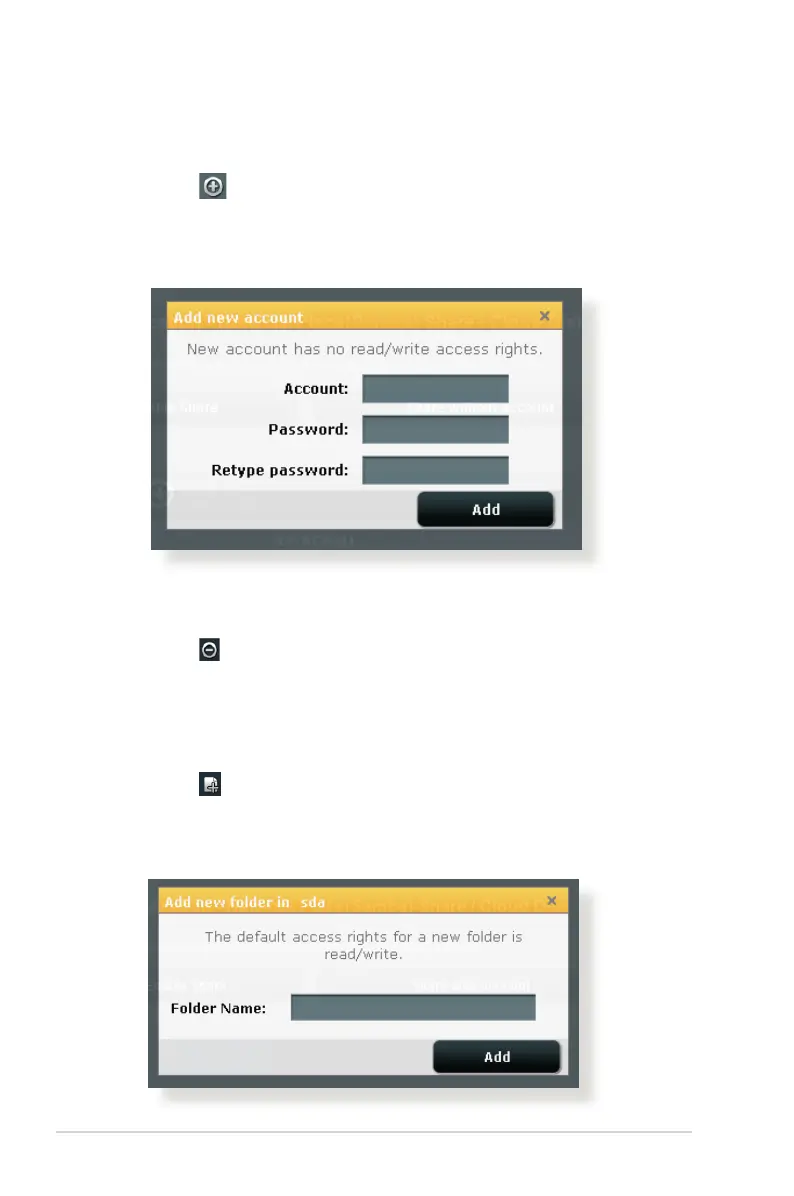
a) Click to add new account.
b) In the Account and Password elds, key in the name and
password of your network client. Retype the password to
conrm. Click Add to add the account to the list.
To delete an existing account:
a) Select the account that you want to delete.
b) Click .
c) When prompted, click Delete to conrm the account
deletion.
To add a folder:
a) Click .
b) Enter the folder name, and click Add. The folder that you
created will be added to the folder list.



 To Next Page