37
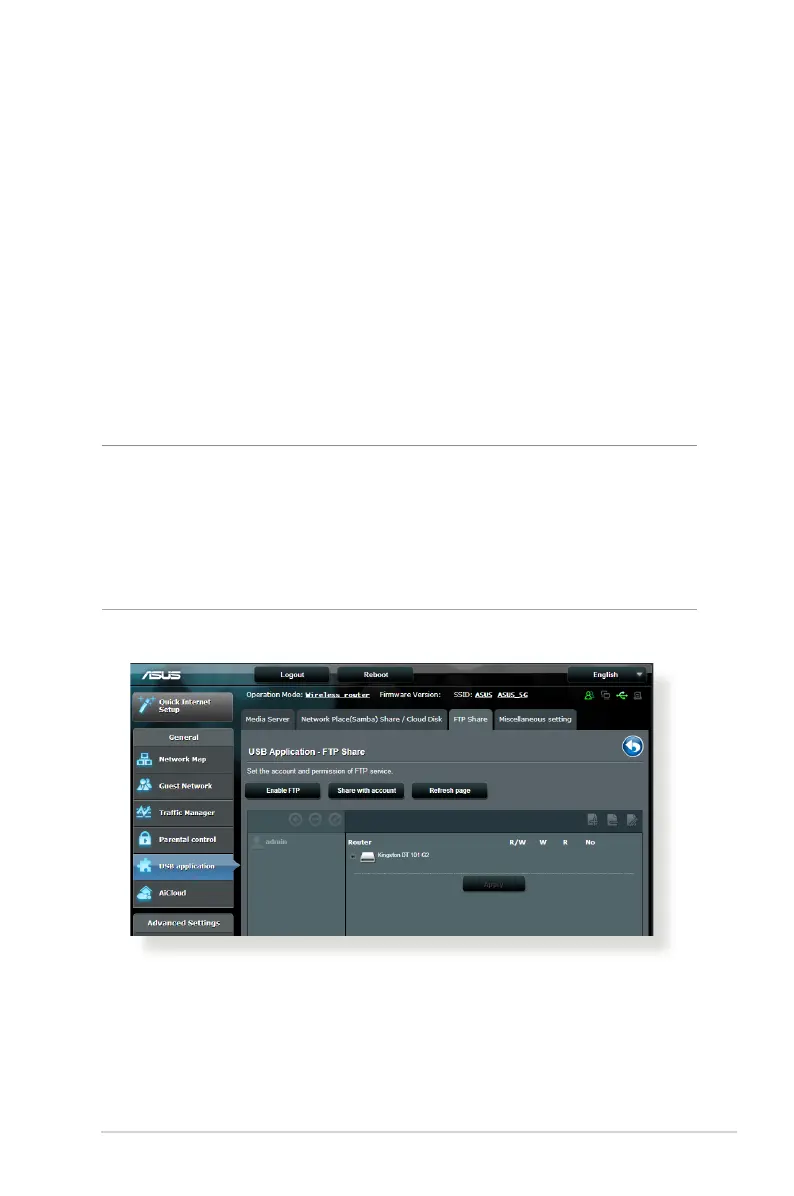
3. From the list of folders, select the type of access permission
that you want to assign for specic folders:
• R/W: Select this option to assign read/write access.
• R: Select this option to assign read-only access.
• No: Select this option if you do not want to share a specic
le folder.
4. Click Apply to apply the changes.
Using the FTP Share service
FTP share enables an FTP server to share les from USB disk to
other devices via your local area network or via the Internet.
IMPORTANT!
• EnsurethatyousafelyremovetheUSBdisk.Incorrectremovalofthe
USB disk may cause data corruption.
• TosafelyremovetheUSBdisk,refertothesectionSafely removing
the USB disk under 3.1.3 Monitoring your USB device.



 To Next Page