64
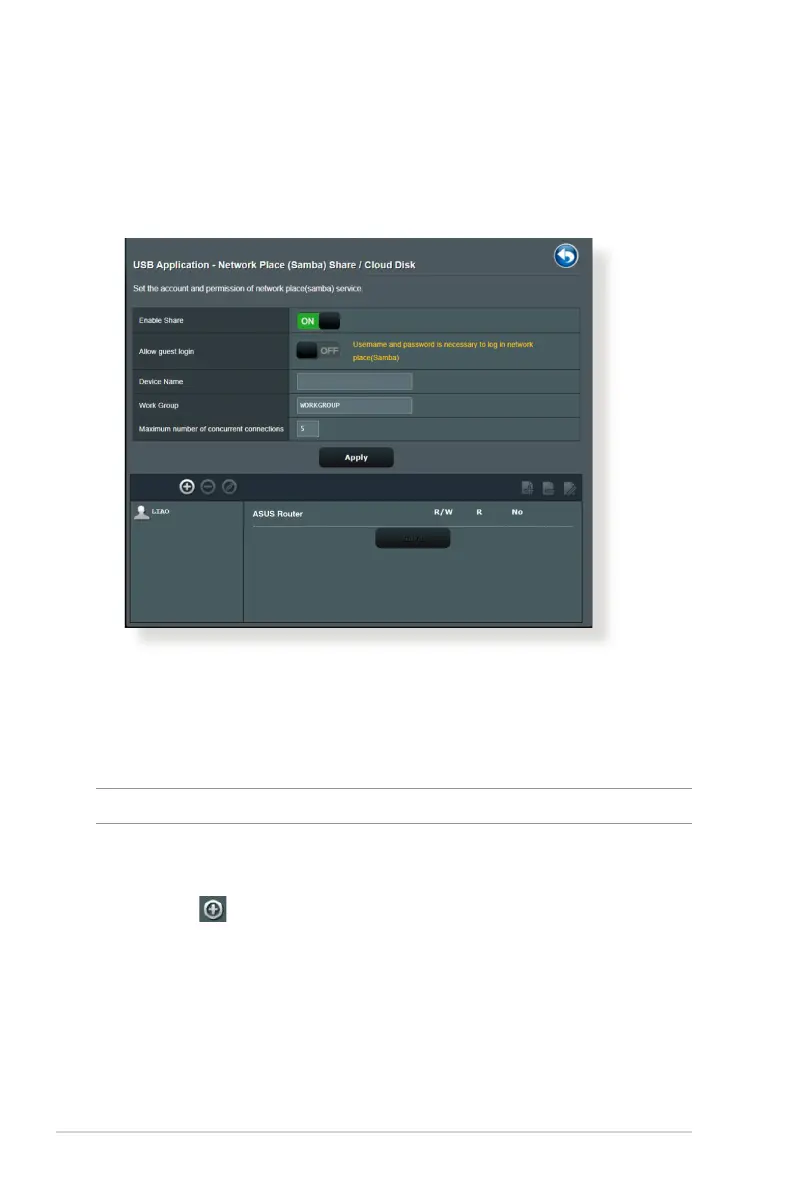
Using Network Place (Samba) Share service
Network Place (Samba) Share allows you to set up the accounts
and permissions for the Samba service.
To use Samba share:
1. From the navigation panel, go to General > USB application
> Servers Centers > Network Place (Samba) Share / Cloud
Disk tab.
NOTE: Network Place (Samba) Share is enabled by default.
2. Follow the steps below to add, delete, or modify an account.
To create a new account:
a) Click
to add new account.
b) In the Account and Password elds, key in the name and
password of your network client. Retype the password to
conrm. Click Add to add the account to the list.


 To Next Page