65
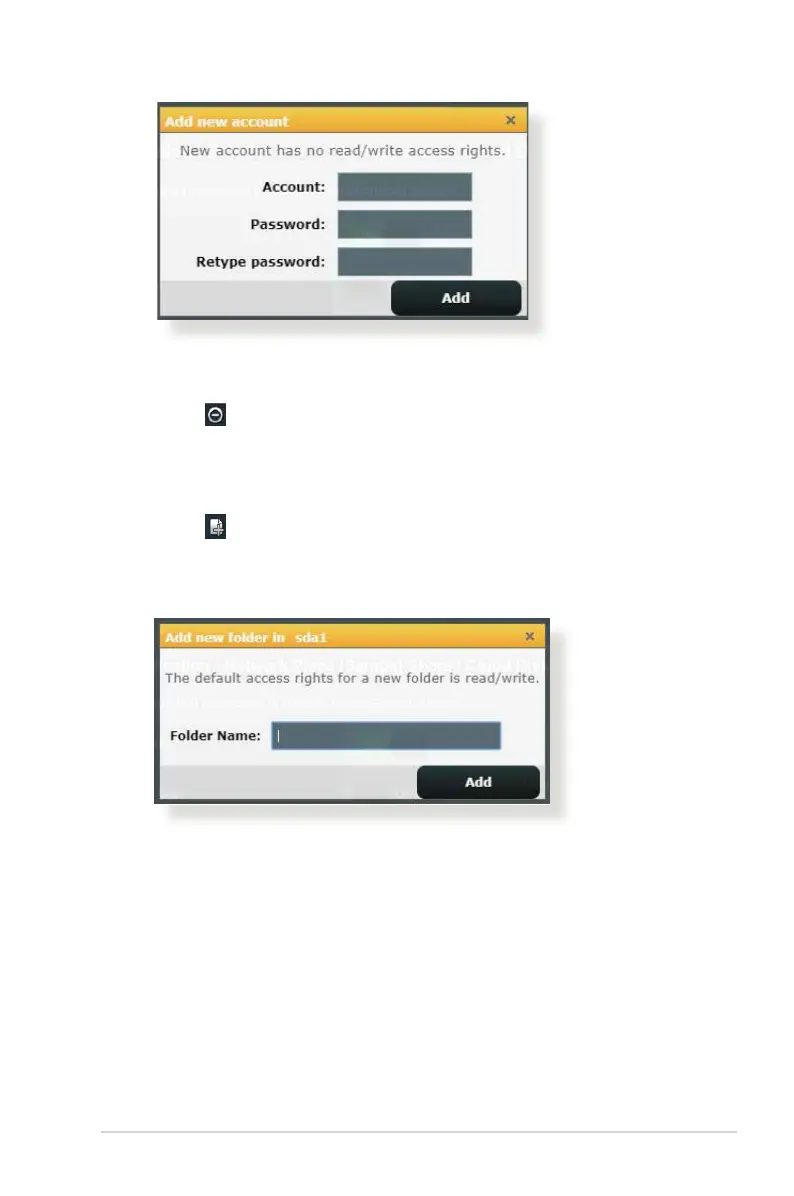
To delete an existing account:
a) Select the account that you want to delete.
b) Click
.
c) When prompted, click Delete to conrm the account
deletion.
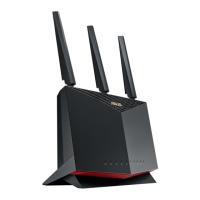
To add a folder:
a) Click
.
b) Enter the folder name, and click Add. The folder that you
created will be added to the folder list.
3. From the list of folders, select the type of access permission
that you want to assign for specic folders:
• R/W: Select this option to assign read/write access.
• R: Select this option to assign read-only access.
• No: Select this option if you do not want to share a specic
le folder.
4. Click Apply to apply the changes.


 To Next Page