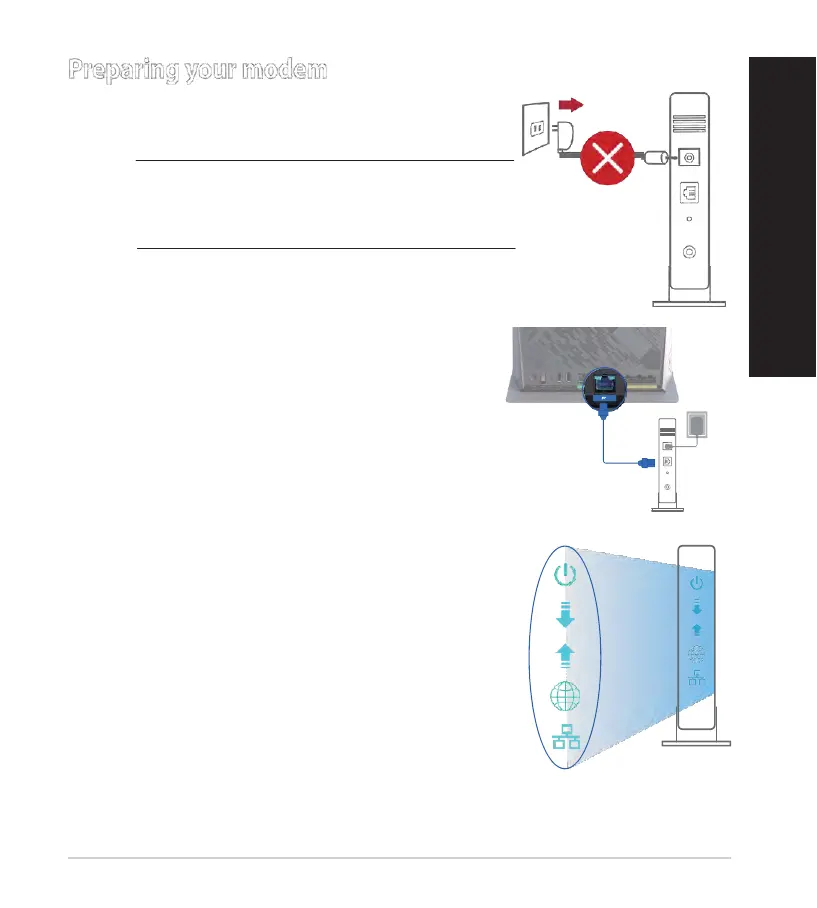
1. Unplug the power cable/DSL modem. If it has a
battery backup, remove the battery.
NOTE: If you are using DSL for Internet, you
will need your username/password from your
Internet Service Provider (ISP) to properly
configure the router.
2. Connect your modem to the router with the
bundled network cable.
3.
Power on your cable/DSL modem.
4. Check your cable/DSL modem LED lights to ensure
the connection is active.


 To Next Page