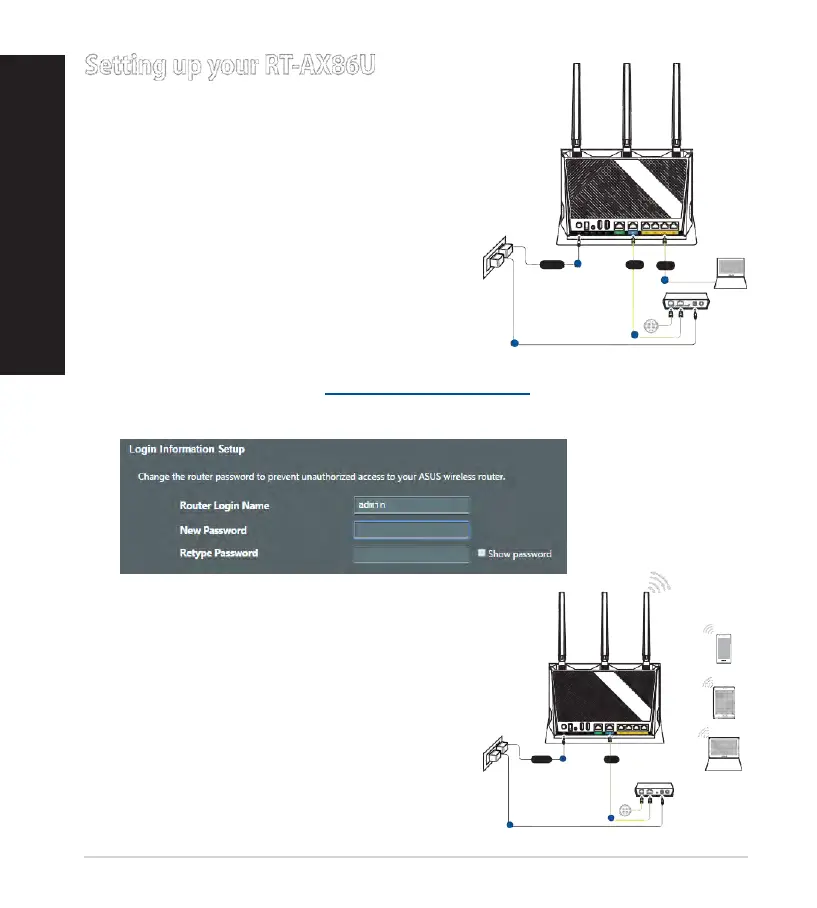
You can set up your router via wired or
wireless connection.
A.
Wired connection
1.
Plug your router into a power outlet and
power it on. Connect the network cable from
your computer to a LAN port on your router.
2. The web GUI launches automatically when you open a web browser. If it does
not auto-launch, enter http://router.asus.com.
3.
Set up a password for your router to prevent unauthorized access.
B.
1.
Smart phone
Tablet
Laptop
Wireless connection
Plug your router into a power outlet and
power it on.
Wall Power Outlet
Power
a
Wall Power Outlet
Power
a


 To Next Page